Kimi CLI notifications on macOS
Kimi finishes quietly in a terminal tab. Here are the ways to find out it needs you, and what each one costs.
By Piotr Jura, creator of AgentNotch. Tested on macOS with AgentNotch v2.2.4.
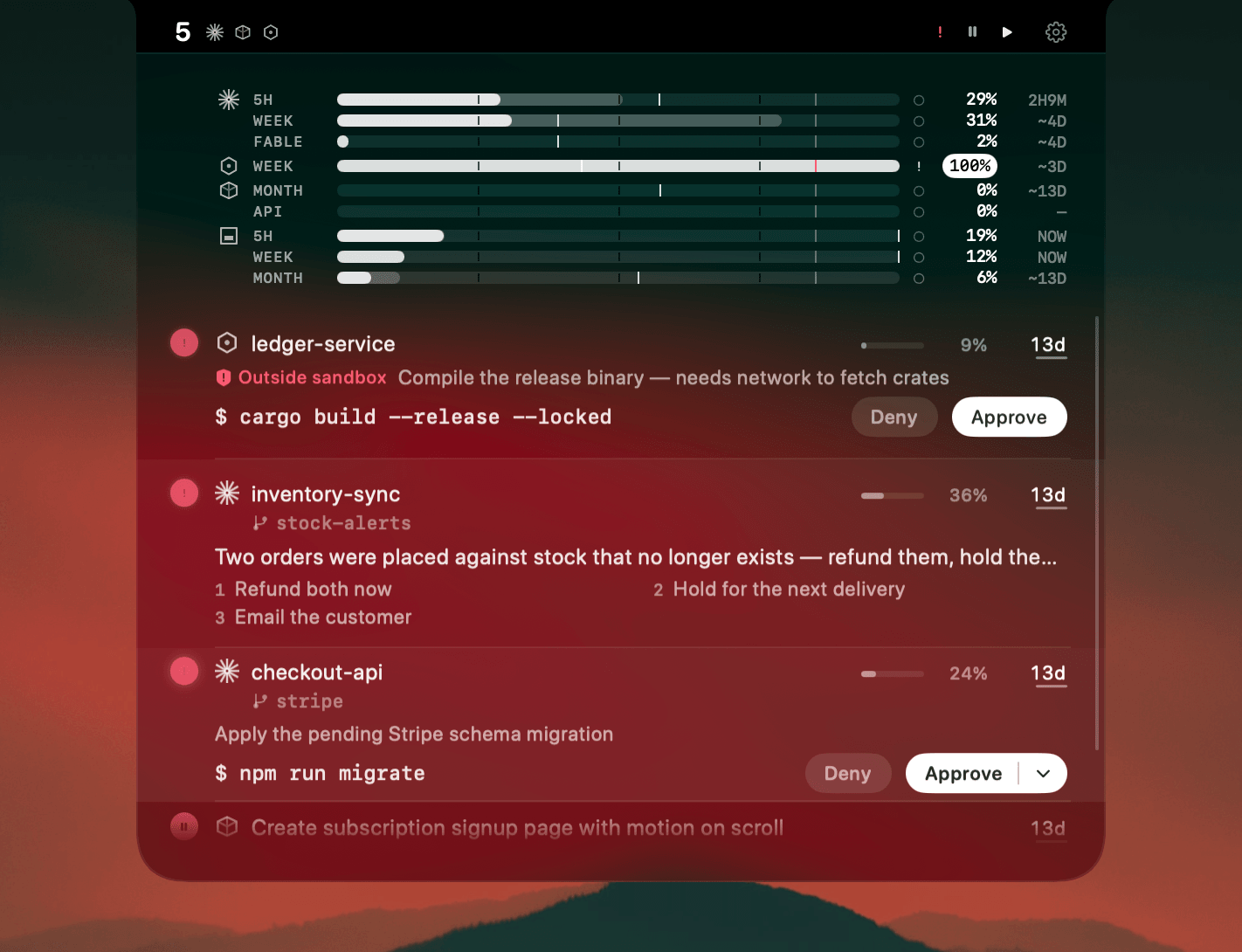
Kimi runs in a terminal tab, and a terminal tab is a poor messenger. It finishes without a sound. It stops mid-task to ask you something and makes exactly as much noise as it does while working: none.
The usual fixes each cover part of the problem. A bell tells you something happened, in one of your nine tabs, at some point. A wrapper script that posts a notification when the command exits is better, until you realise it only ever sees the end of a run, so a question asked two minutes in still waits in silence. Switching tabs to look works every time and costs you the switch every time, and the answer is usually "still going".
Add a second agent and it compounds. Kimi in one tab, Claude Code in another, Codex in a third, all quiet, all possibly waiting.
Where AgentNotch fits
AgentNotch reads the session files Kimi writes as it works, so a session's state is visible without opening its tab: working, finished, or stopped on a question. A waiting session stays flagged until you deal with it, and the question it asked, with its choices, sits on the row.
Kimi plan usage joins the same strip as your other plans, and Kimi tokens get their own share of Token History, so a heavy day shows up as a Kimi day rather than an unexplained total.
You answer in the terminal. Kimi's hooks have no permission event that can hold a prompt open, so AgentNotch never offers to approve anything on your behalf. Click the row and it puts you in the right tab.
30-second setup
Download AgentNotch, drag it to Applications, open it. Kimi sessions show up on their own, no config and no keys. Free for 14 days, no card.
Side by side
| What it does | Its limit | |
|---|---|---|
| Terminal bell | Rings once when the tab writes a bell character. | Says something happened somewhere. Not which tab, not what. |
| A wrapper script | Fires a macOS notification when the command exits. | Only sees the end of a run, never a mid-run question. |
| Switching tabs to look | Always accurate. | Costs the switch every time, and most times nothing has changed. |
| AgentNotch | Keeps every Kimi session's state in the menu bar until you act. | Points at the exact session; macOS only. |
Questions
- How do I get notified when Kimi finishes?
- A terminal bell pings once when the tab emits one, and a wrapper script can post a macOS notification when the command exits. Neither sees a mid-run question, which is why a menu-bar monitor like AgentNotch keeps the session's state visible instead of firing once and forgetting.
- Why does my Kimi session stop without telling me?
- Kimi asks questions inside its own terminal UI, and that prompt makes no sound and posts no notification. The session is waiting rather than working, and nothing outside the tab says so.
- Can I monitor several Kimi sessions at once?
- Yes. AgentNotch lists every Kimi session running on your Mac with its status, model, and context gauge, alongside your Claude Code, Codex, Cursor and OpenCode sessions.
- Does AgentNotch show my Kimi plan usage?
- Yes. Kimi's plan windows sit on the same usage strip as Claude and Codex, so you can see which plan is close to its limit without opening a dashboard.
- Do I need an API key for this?
- No. AgentNotch reads the session files Kimi already writes on your Mac. It never asks for a key and never sends your code anywhere.
Keep reading
See which agent needs you.
Try AgentNotch free for 14 days, no card. Watch Claude Code, Cursor, and Codex from your Mac's menu bar.
Updated 2026-09-19