Codex Monitor for macOS
AgentNotch watches your Codex sessions on macOS and flags the one waiting on your approval, so a run never sits idle for your yes.
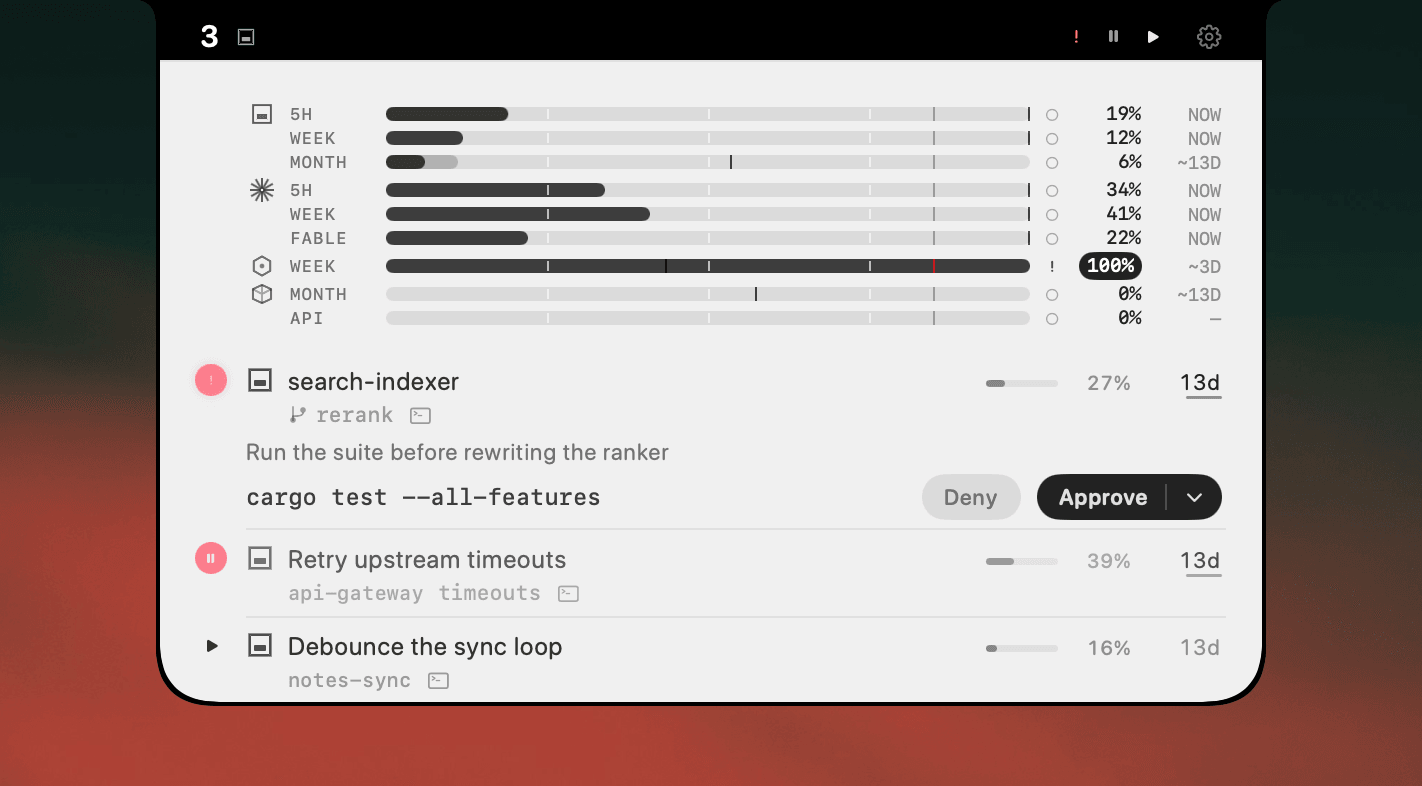
Codex is careful by design. It works through a task, then stops to ask before anything risky. That gate keeps you in control. The cost shows up when you're not watching: a session sits paused on a question until you notice. Run two or three and one is likely stalled on a prompt you never saw.
Where AgentNotch fits
AgentNotch shows their status in the menu bar. The moment a session pauses for approval it becomes the one flagged as needing you, so a held-up run is a glance, not a discovery ten minutes later. Click straight into the one that wants an answer. It works whether Codex runs in Desktop or the terminal.
30-second setup
Download AgentNotch, drag it to Applications, launch it. It picks up your Codex sessions with no config and no keys. Everything stays on your Mac. Free for 14 days, no card.
Questions
- Does AgentNotch work with Codex?
- Yes. AgentNotch reads your Codex sessions on macOS, in both the Desktop app and the CLI, and shows each one's status in the menu bar.
- Will AgentNotch tell me when Codex is waiting for approval?
- Yes. When a Codex session pauses to ask before running a command or applying a change, AgentNotch flags it as the one that needs you, so it stops sitting idle for your answer.
- Does AgentNotch work with both Codex Desktop and the Codex CLI?
- Yes. AgentNotch reads Codex sessions whether you run them in the Desktop app or from the command line.
- Does AgentNotch send my Codex prompts or code anywhere?
- No, AgentNotch runs entirely on your Mac. It reads session state only, never your code, prompts, or API keys.
Keep reading
See which agent needs you.
Try AgentNotch free for 14 days, no card. Watch Claude Code, Cursor, and Codex from your Mac's menu bar.
Updated 2026-09-19