iTerm2 notifications for coding agents
iTerm2 has three separate notification mechanisms and most people only find one. How to set up bell, idle and trigger alerts for Claude Code, and where they run out.
❯ claude
● Reading docs/licensing.md
⎿ Read 240 lines
⎿ Grepped "claimToken" (11 files)
● Wiring the license claim endpoint
⎿ Edited lib/license/store.ts (+38 −6)
⎿ Edited app/api/license/claim/route.ts (+21 −3)
⎿ Ran npm test (42 passed)
● Run npm run db:migrate?
❯ 1. Yes 2. No, tell Claude what to do
waiting for your approval
iTerm2 has three separate ways to alert you, and most people find one of them and assume that's all there is. All three live in the same place: Settings, Profiles, Terminal.
Notification Center Alerts, and the button next to it
Tick "Notification Center Alerts". Then click "Filter Alerts", the button right beside it, because that's where the actual choices are. The modal has separate switches for a bell alert, an idle alert, and escape-sequence-generated alerts. Ticking the outer box without opening this panel is why so many setups half-work.
Escape-sequence alerts are the one Claude Code needs. Claude Code emits an OSC sequence when it wants your attention, and iTerm2 drops it on the floor until this is on. Turn it on and Claude Code's own notifications start reaching Notification Center with no further setup.
Idle alerts are the one worth having
iTerm2 can tell you when a session goes quiet, meaning no output for a while. For agent work that's almost exactly the signal you want, because an agent that stopped producing output has either finished or is sitting on a prompt. It fires whether or not the agent bothered to notify anything, which makes it the most reliable of the three.
I'd turn this on before anything else. It catches the cases where an agent stalls without emitting a sound.
Triggers, for when you want something specific
A trigger matches a regex against terminal output and runs an action. Settings, Profiles, Advanced, then Edit under Triggers. Add a pattern, pick "Post Notification", and you get a banner only for output you care about. "Bounce Dock Icon" bounces until the window is focused, which is harder to miss than a banner that fades.
This is genuinely useful for a specific string you're waiting on. It's also per profile and regex-based, so it's a scalpel rather than a general solution.
One caveat for tmux users: escape-sequence alerts and triggers both work on the byte stream, so tmux swallows them unless you set allow-passthrough on. Idle alerts survive, since they're based on silence rather than content.
Where all three run out
Every one of these is scoped to iTerm2 and scoped to a tab. That's fine until your work isn't.
Run Claude Code in iTerm2, Codex in Ghostty, and Cursor in its own window, and iTerm2 can only speak for a third of it. Even inside iTerm2, an idle alert tells you a session went quiet. It doesn't say which project, which branch, whether that agent is waiting on approval or genuinely finished, or which of your four tabs it was.
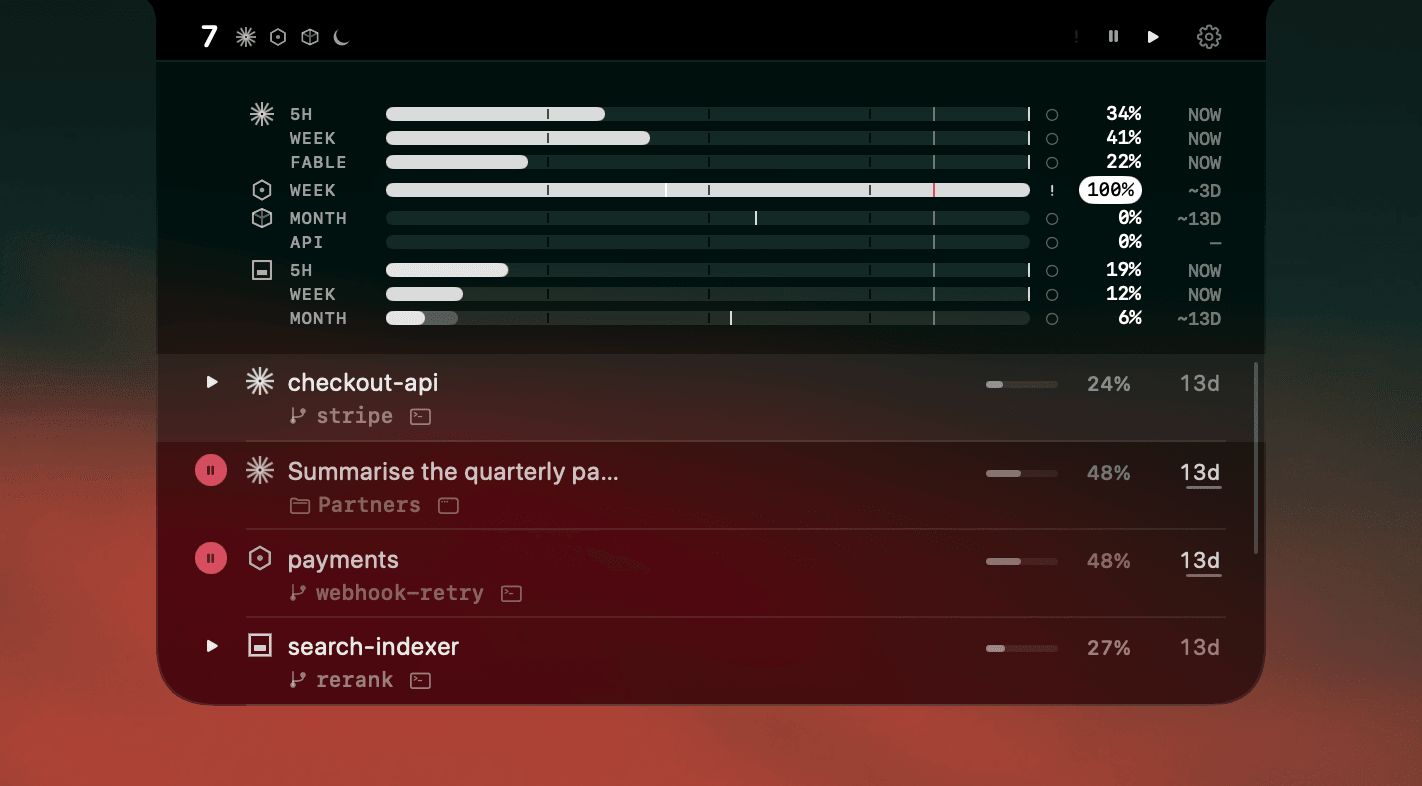
AgentNotch reads the agent sessions rather than the terminal, so it covers every terminal and editor at once and knows the difference between waiting for approval, asking a question, and done. The state stays visible until you act on it instead of firing once and fading.
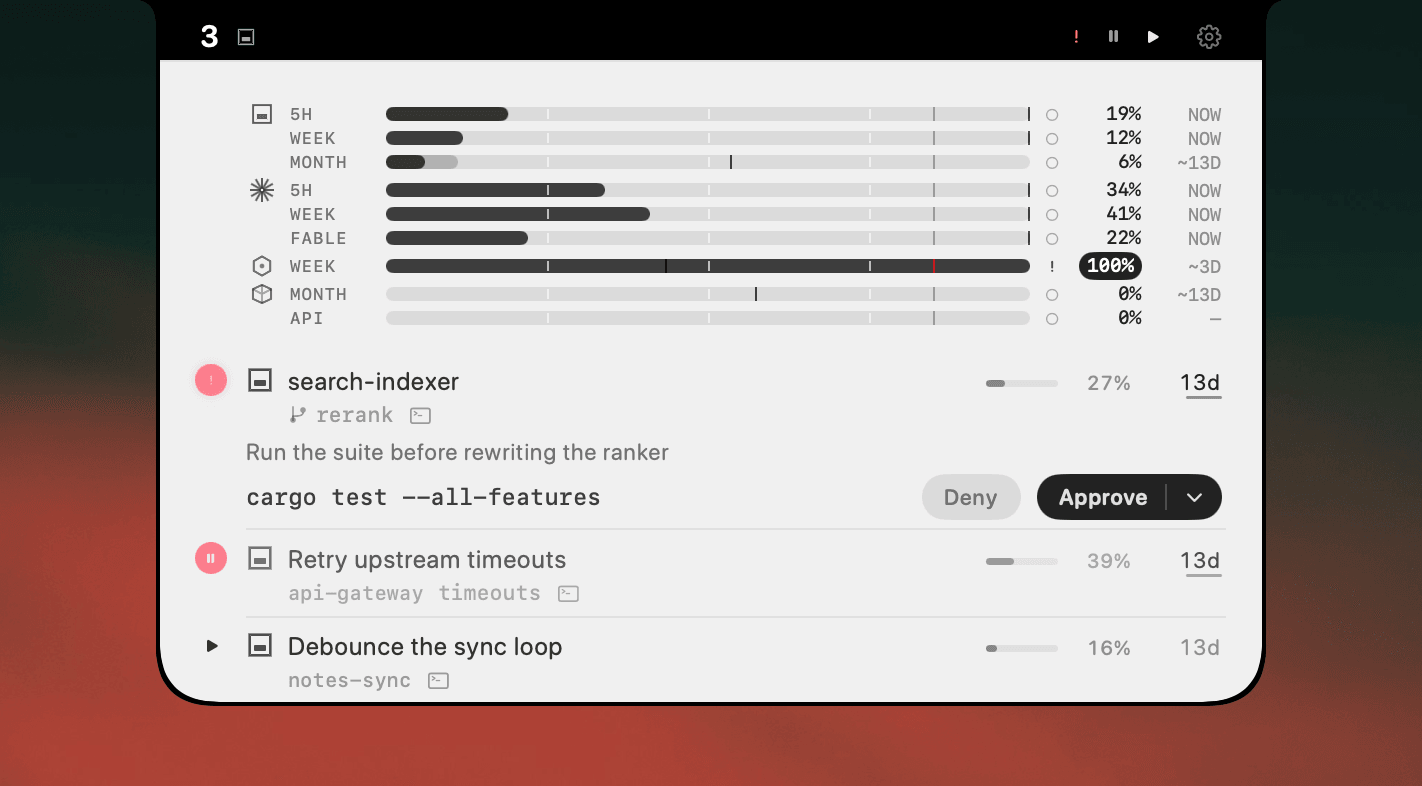
Keep the iTerm2 alerts. Idle alerts especially are free and good. They stop being enough at the point where you have more sessions than you can hold in your head.
Side by side
| iTerm2 alerts | AgentNotch | |
|---|---|---|
| Scope | Per profile, in iTerm2 only. Other terminals and editors are invisible. | Every agent session on the Mac, whichever app runs it. |
| What it knows | Bell, silence, session end. Terminal-level facts. | Agent state: working, waiting on approval, asking, done. |
| Identifies the session | By tab. Which project or branch is not in the alert. | Project, branch, agent and host app on the row. |
| After you miss it | Gone. | Still marked until you act on it. |
| Price | Free, part of iTerm2. | One-time $9.99, 14-day trial, no card. |
Questions
- How do I turn on notifications in iTerm2?
- Open Settings, Profiles, Terminal and tick Notification Center Alerts. Then click Filter Alerts next to it and choose which events post: Bell, Idle, and escape-sequence-generated alerts are separate switches, so ticking only the main box gives you less than you expect.
- How do I get an iTerm2 notification when Claude Code needs input?
- Two ways. Enable Idle alerts in Filter Alerts so iTerm2 tells you when a session stops producing output, which is exactly the moment an agent is waiting. Or enable Send escape sequence-generated alerts so Claude Code's own desktop notification reaches Notification Center.
- What is an iTerm2 trigger and can it post a notification?
- A trigger matches a regular expression against terminal output and runs an action. Open Settings, Profiles, Advanced, then Edit under Triggers. The Post Notification action posts to Notification Center, and Bounce Dock Icon bounces the dock until the window is focused.
- Why do iTerm2 notifications stop working in tmux?
- Escape-sequence alerts never reach iTerm2 because tmux swallows the sequence. Add 'set -g allow-passthrough on' to ~/.tmux.conf. Idle alerts still work, since they are based on output silence rather than an escape sequence.
Keep reading
See which agent needs you.
Try AgentNotch free for 14 days, no card. Watch Claude Code, Cursor, and Codex from your Mac's menu bar.
Updated 2026-09-19