Using AgentNotch with iTerm2
Yes, AgentNotch works with iTerm2. It monitors your Claude Code, Cursor, and Codex sessions whichever terminal runs them.
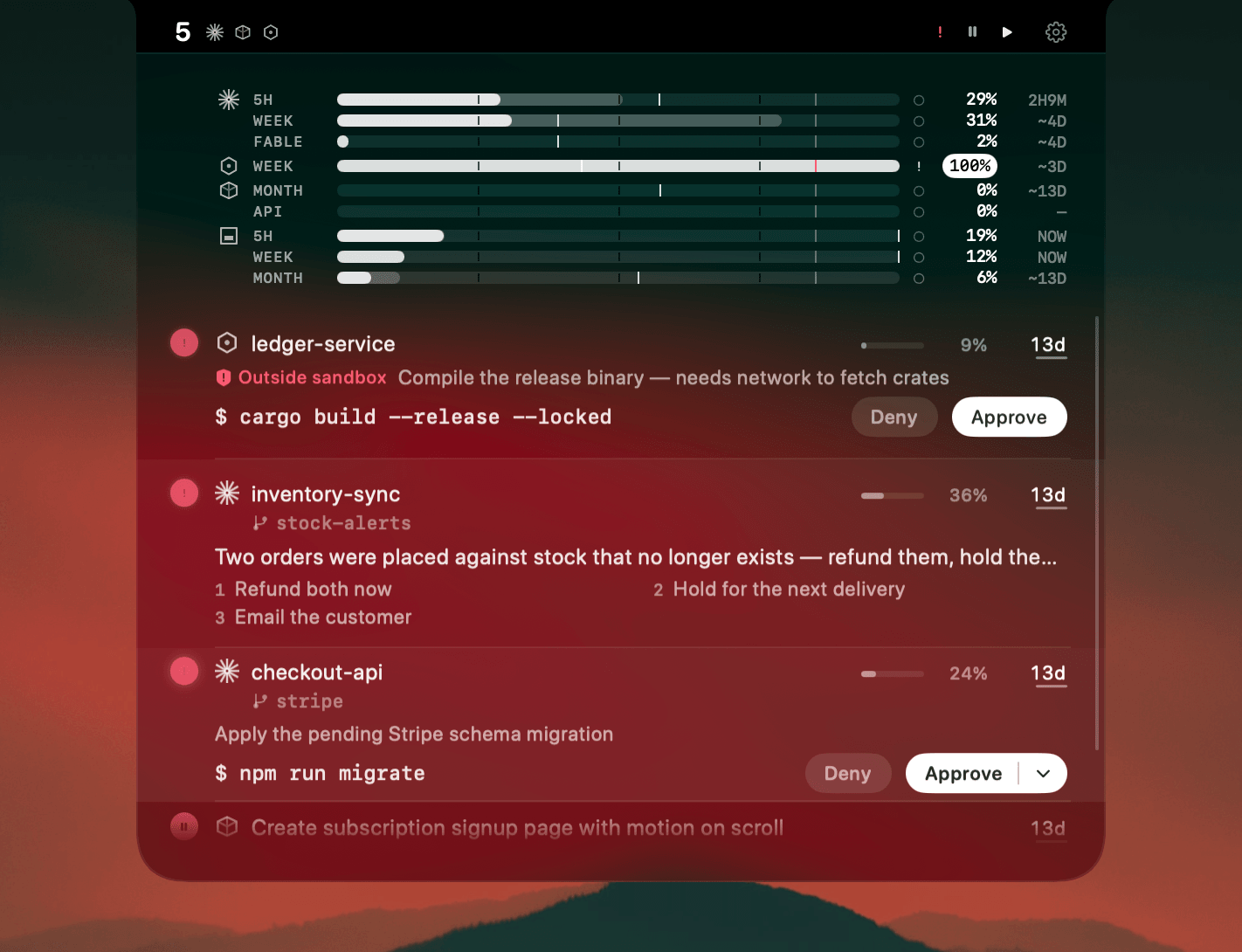
Yes. Run Claude Code, Cursor, or Codex in iTerm2 and AgentNotch monitors them like in any terminal. iTerm2 has been the Mac power user's terminal for years, with split panes, triggers, badges, and profiles. AgentNotch is terminal-agnostic and reads the agents themselves, wherever they run.
Claude Code and Codex notifications in iTerm2
Triggers and badges fire on terminal events. What they don't know is agent state: whether a Claude Code run waits on approval, whether Codex is idle on a permission request, or which pane just finished. AgentNotch reads that from the agents and shows it in the menu bar, with a context gauge, plan usage, and the one that needs you flagged. It watches every window at once, where scanning costs you.
30-second setup
Download AgentNotch, drag it to Applications, open it. It starts watching with no config and no keys. It stays on your Mac and never reads your code. Free for 14 days, no card.
Questions
- Does AgentNotch work with iTerm2?
- Yes. AgentNotch monitors your Claude Code, Cursor, and Codex sessions no matter which terminal they run in, so iTerm2 is fully supported.
- I run agents in iTerm2 split panes. Will AgentNotch keep up?
- Yes. AgentNotch tracks each agent session on its own, so several agents across iTerm2 panes and windows all show up separately, and it flags the one that needs you.
- Do I need iTerm2 triggers or scripts to make it work?
- No, AgentNotch reads agent session state directly, so you don't need to wire up triggers, badges, or shell scripts. Run your agent and it appears.
- Does AgentNotch interfere with my iTerm2 setup?
- No, your profiles, keybindings, and triggers stay exactly as they are. AgentNotch runs in the menu bar and only reads the state of the agents you're running.
Keep reading
See which agent needs you.
Try AgentNotch free for 14 days, no card. Watch Claude Code, Cursor, and Codex from your Mac's menu bar.
Updated 2026-09-19