Monitor AI coding agents on macOS
The ways to keep track of Claude Code, Cursor, and Codex on a Mac, from terminal bells and notification hooks to an always-on menu-bar dashboard that shows which session needs you.
By Piotr Jura, creator of AgentNotch. Tested on macOS with AgentNotch v2.2.4.
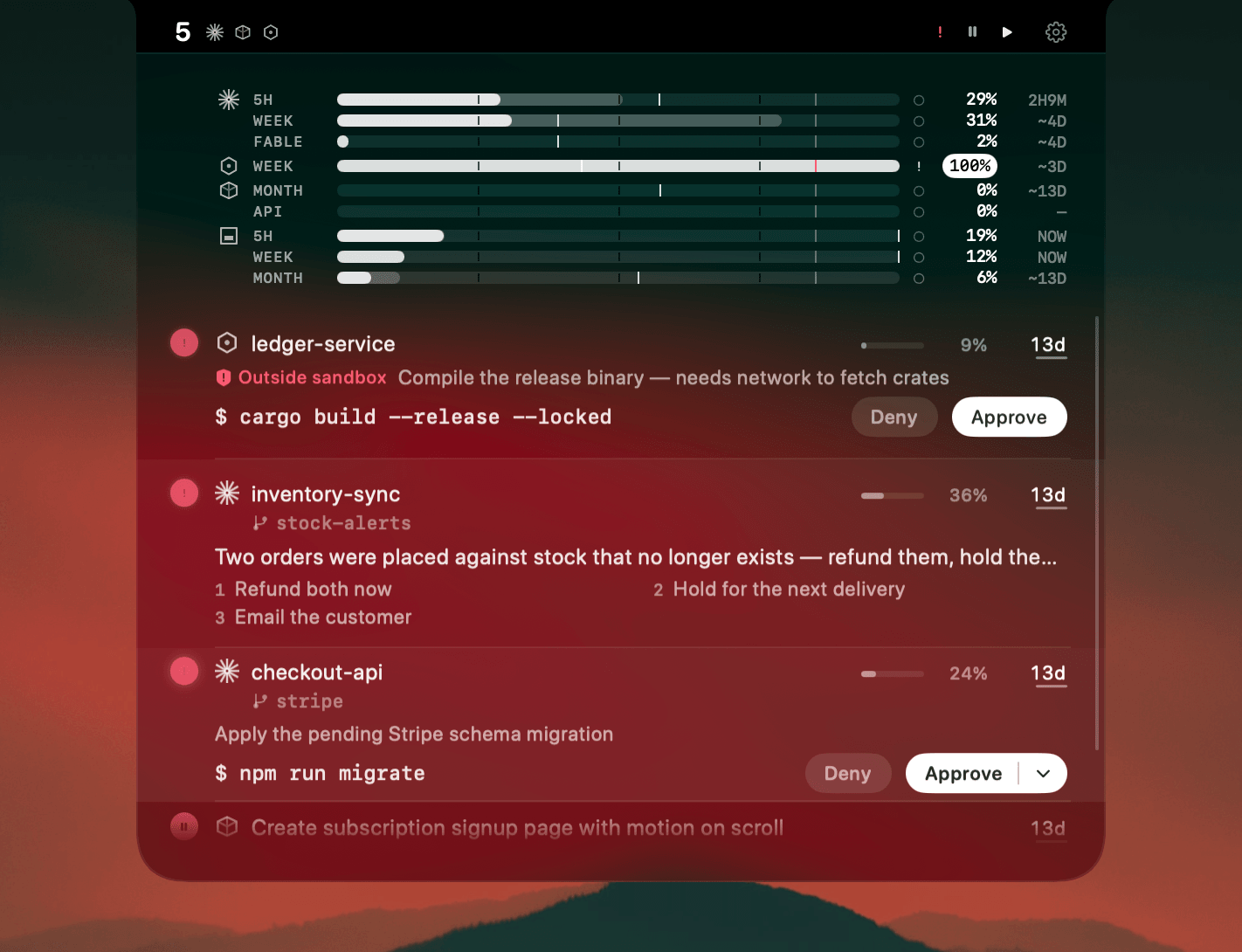
Claude Code in a terminal, Cursor in your editor, Codex in another window, each changing state on a schedule you don't control. Watching all three at once isn't a workflow, it's a nervous habit. macOS has honest ways to keep track instead.
Each built-in cue covers a slice. A terminal bell rings when a run ends but not which agent. A Stop hook fires per session, per tool. tmux keeps many sessions alive but draws a waiting pane like a working one. All worth having. None answers the real question once several agents are up: which one wants me next.
Where AgentNotch fits
AgentNotch is built for that question. It watches Claude Code, Cursor, Codex, Kimi and OpenCode from the menu bar, along with the Cowork sessions running in your Claude app. It flags the one session that needs you and shows context, plan usage, and live subagents per session. It runs on your Mac, never your code or keys.
One dashboard for Claude Code, Cursor, and Codex
Most people reach for the word dashboard here, and it fits. AgentNotch is a small, local dashboard for your coding agents. Every Claude Code, Cursor, Codex, Kimi and OpenCode session sits in one row, each showing whether it is working, waiting, ready for review, or asking for approval. It lives in the notch or menu bar, so the dashboard is always up without a window to open.
A monitor, not an orchestrator
AgentNotch reads your agents. It does not launch, route, or run them. If you want something that spawns and schedules agents, that is a different kind of tool. If you want to see, at a glance, which of your running agents needs you next, that is this. It watches, and you stay in control of what runs.
Side by side
| Manual approaches | AgentNotch | |
|---|---|---|
| Setup | Configure bells, hooks, or a multiplexer per tool. | Install once and it reads your sessions. |
| When something happens | A one-time bell or notification fires and is gone. | The session's state stays visible until you act. |
| Across many sessions | You scan windows or stack up notifications to find the right one. | It flags the single session that needs you. |
| Agent state | Context and plan usage live inside each agent, out of view. | A context gauge and plan usage, per session, at a glance. |
| Which agents | Each tool set up separately. | Claude Code, Cursor, Codex, Kimi, OpenCode and Cowork together. |
Questions
- How do I monitor AI coding agents on macOS?
- You can lean on built-in signals like the terminal bell and notification hooks for a single agent, or use a menu-bar monitor to watch several at once. AgentNotch is a macOS menu-bar app that watches Claude Code, Cursor, Codex, Kimi and OpenCode together, Claude Cowork included, and flags the one session that needs you.
- Is there a menu bar app to watch coding agents on Mac?
- Yes. AgentNotch is a macOS menu-bar app that monitors Claude Code, Cursor, Codex, Kimi and OpenCode sessions from the notch and shows which one needs attention without switching windows.
- Do I need a separate tool for each agent?
- With the manual approaches, roughly yes, since bells and hooks are configured per tool. A dedicated monitor reads Claude Code, Cursor, Codex, Kimi and OpenCode in one place, so you set it up once instead of per agent.
- Does monitoring my agents send my code anywhere?
- It does not have to. AgentNotch runs entirely on your Mac, reads session state without reading your code, and never touches your API keys, tokens, or accounts.
Keep reading
See which agent needs you.
Try AgentNotch free for 14 days, no card. Watch Claude Code, Cursor, and Codex from your Mac's menu bar.
Updated 2026-07-20