Run coding agents in parallel with git worktrees
The worktree setup that gives each AI coding agent an isolated workspace on the same repo, the three things that break on the first try, and why attention becomes the bottleneck.
By Piotr Jura, creator of AgentNotch. Tested on macOS with AgentNotch v2.2.4.
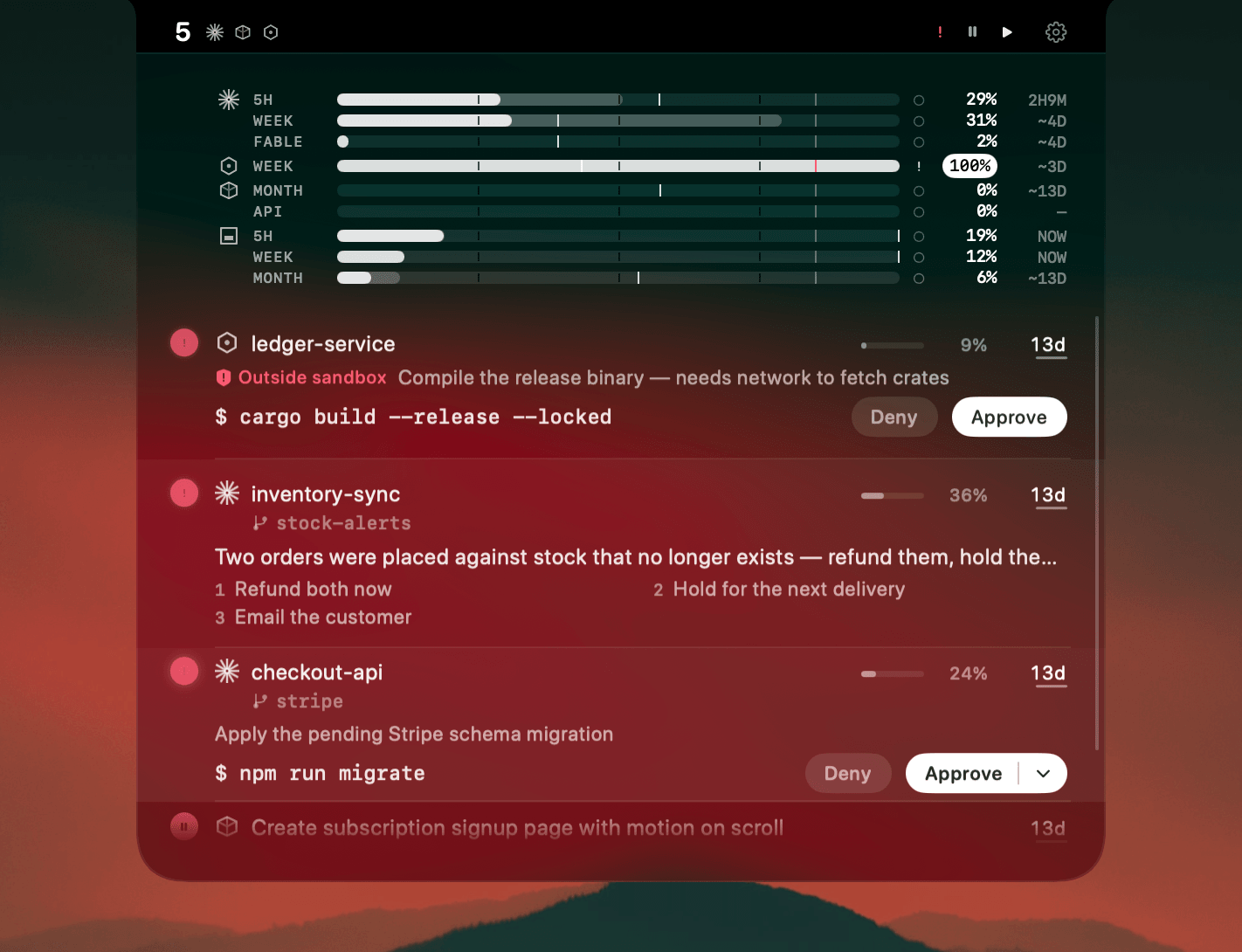
Two agents in one folder is the mistake everyone makes once. They overwrite each other's edits, and worse, each one reads the other's half-finished changes as if they were the state of the repo. The diffs come out unreviewable.
Git worktrees fix this properly. One repository, several checked-out directories, each on its own branch, all sharing a single .git. Each agent gets a real isolated workspace without cloning the repo four times.
The setup
From your main checkout, one command per agent:
git worktree add ../myapp-auth      -b agent/auth
git worktree add ../myapp-tests     -b agent/tests
git worktree add ../myapp-migration -b agent/migration
Then start each agent in its own directory:
cd ../myapp-auth && claude
git worktree list shows what you have. When a branch is merged and you're done:
git worktree remove ../myapp-auth
Deleting the directory in Finder instead leaves a stale entry behind. git worktree prune clears those.
The three things that break on the first try
Gitignored files don't come across
A fresh worktree has no .env, no node_modules, no local config. The agent starts, the build fails, and it burns context diagnosing a problem you created. Copy or symlink them as part of creating the worktree:
git worktree add ../myapp-auth -b agent/auth
cp .env ../myapp-auth/.env
ln -s "$(pwd)/node_modules" ../myapp-auth/node_modules
The symlink is fine when the dependency set is identical across branches and wrong the moment one agent changes package.json. If that's on the table, install per worktree instead.
Dev servers collide
Three agents, three npm run dev, all reaching for port 3000. Two fail, and the agents interpret the failure as a bug in their own task. Assign a port per worktree in its local env file before you start anything.
Worktrees accumulate
Nothing cleans them up. A month in you have eleven directories and no memory of which branches were merged. git worktree list weekly, and remove as you merge.
Where it actually falls apart
Setup is the easy half, and it's the half every guide covers. The hard half starts once all four are running.
Each agent stops. It finishes, or it hits a permission prompt, or it asks a question and sits there. An idle agent produces nothing, and you can't watch four windows at once, so you rotate through them and find two that have been waiting eight minutes. Four agents idle half the time are slower than two you actually keep fed.
The failure mode isn't compute. It's that you can't see who's waiting.
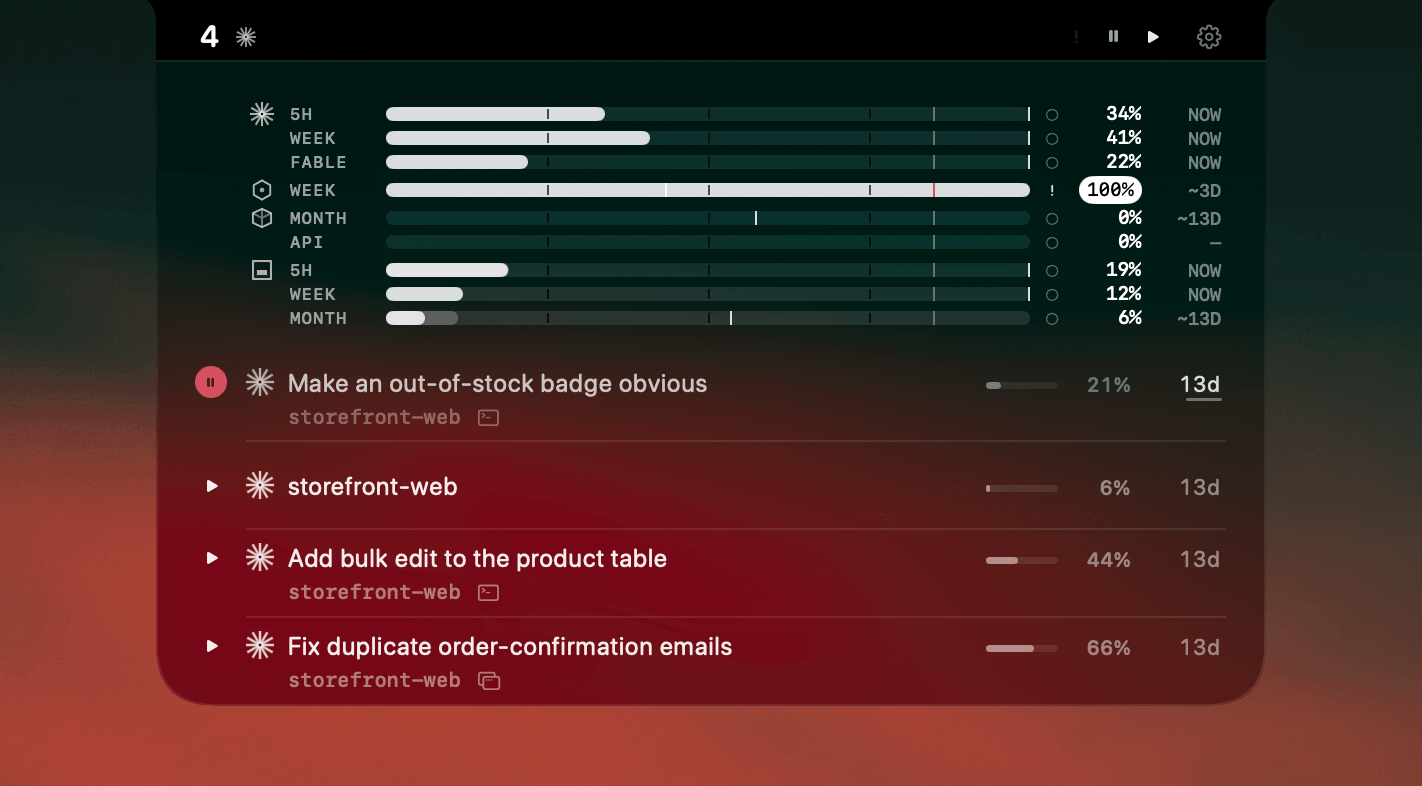
That's the problem AgentNotch solves. It reads Claude Code, Cursor, Codex, Kimi and OpenCode sessions across every worktree and marks which one needs you next, with the branch name on the row so you know which task it is without opening anything. Clicking the row jumps to that terminal tab.
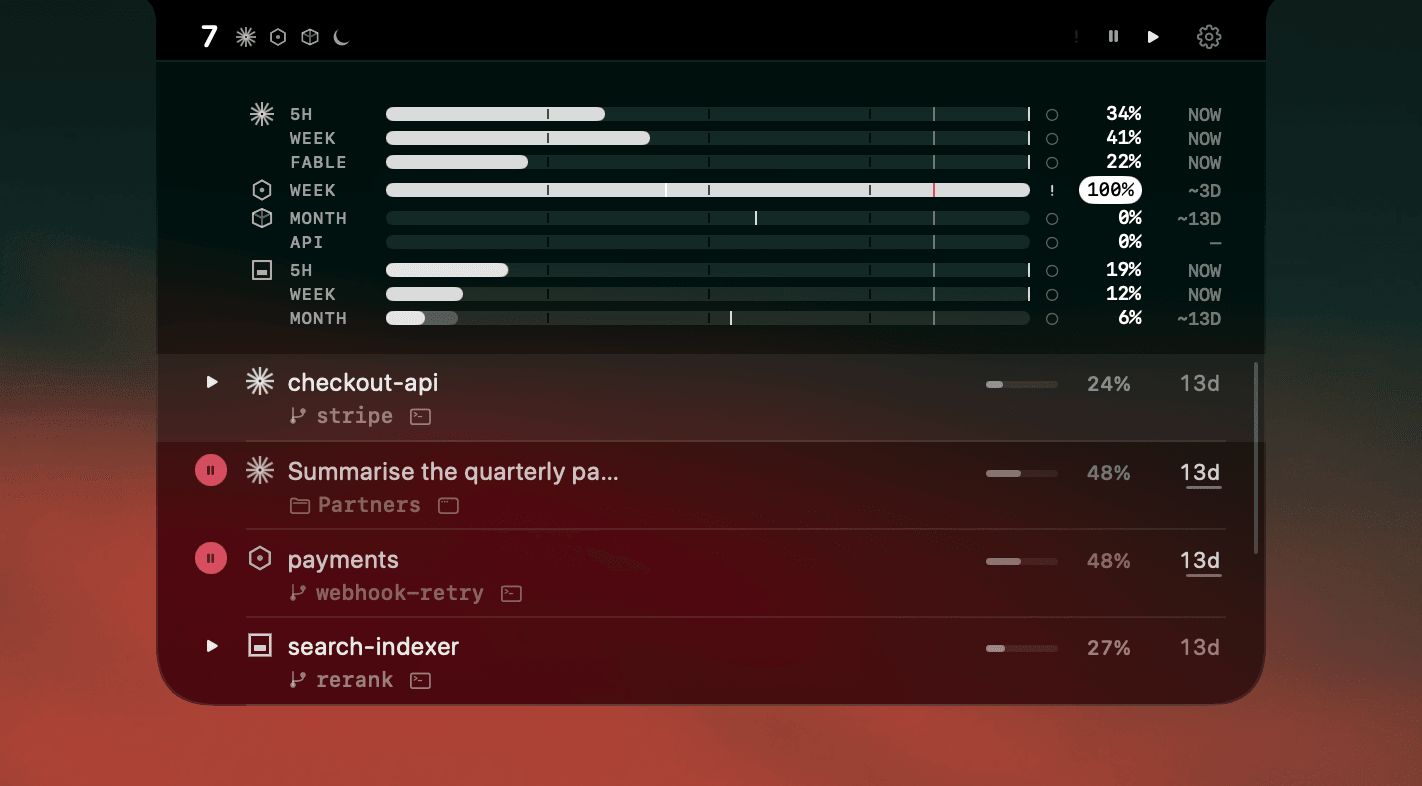
The worktrees let agents run in parallel. Keeping them fed is a separate problem, and it's the one that decides whether parallel actually beats serial.
If you'd rather not manage worktrees by hand
Conductor creates and cleans up worktrees for you and runs an agent in each. It's a good fit if the manual bookkeeping above is the part putting you off. AgentNotch sits on top either way, since it reads the agent sessions rather than the terminal or the tool that spawned them.
Questions
- How do I run multiple AI coding agents in parallel in isolated workspaces?
- Give each agent its own git worktree. Run 'git worktree add ../repo-<task> -b <branch>' once per agent, then start each agent inside its own directory. Every worktree is a full checkout of the same repository on its own branch, sharing one .git directory, so agents never overwrite each other's files.
- Can two coding agents work in the same repo at once?
- Not in the same working directory. They overwrite each other's edits and read each other's half-finished changes as context. Separate worktrees solve this because each agent sees only its own files, while all of them stay part of one repository.
- What breaks the first time you use worktrees with agents?
- Three things: gitignored files such as .env and node_modules do not come across and must be copied or symlinked, dev servers collide on the same port, and worktrees pile up because nothing removes them. Run 'git worktree prune' after deleting a directory by hand.
- How many agents can I run in parallel?
- As many as your machine and rate limits allow, but the real ceiling is how many you can answer. Past three or four the limit is catching each agent's idle moments quickly, not raw capacity.
- What is the hardest part of running agents in parallel?
- Attention, not compute. Starting five agents takes seconds. Knowing which of the five just finished, stalled, or is waiting on a decision is the part that breaks down, because you cannot watch five windows at once.
Keep reading
See which agent needs you.
Try AgentNotch free for 14 days, no card. Watch Claude Code, Cursor, and Codex from your Mac's menu bar.
Updated 2026-07-28