How to manage multiple coding agents
Running three or four AI coding agents is easy. Knowing which one needs you is the hard part. A working method, the rules that stop collisions, and where the attention actually goes.
By Piotr Jura, creator of AgentNotch. Tested on macOS with AgentNotch v2.2.4.
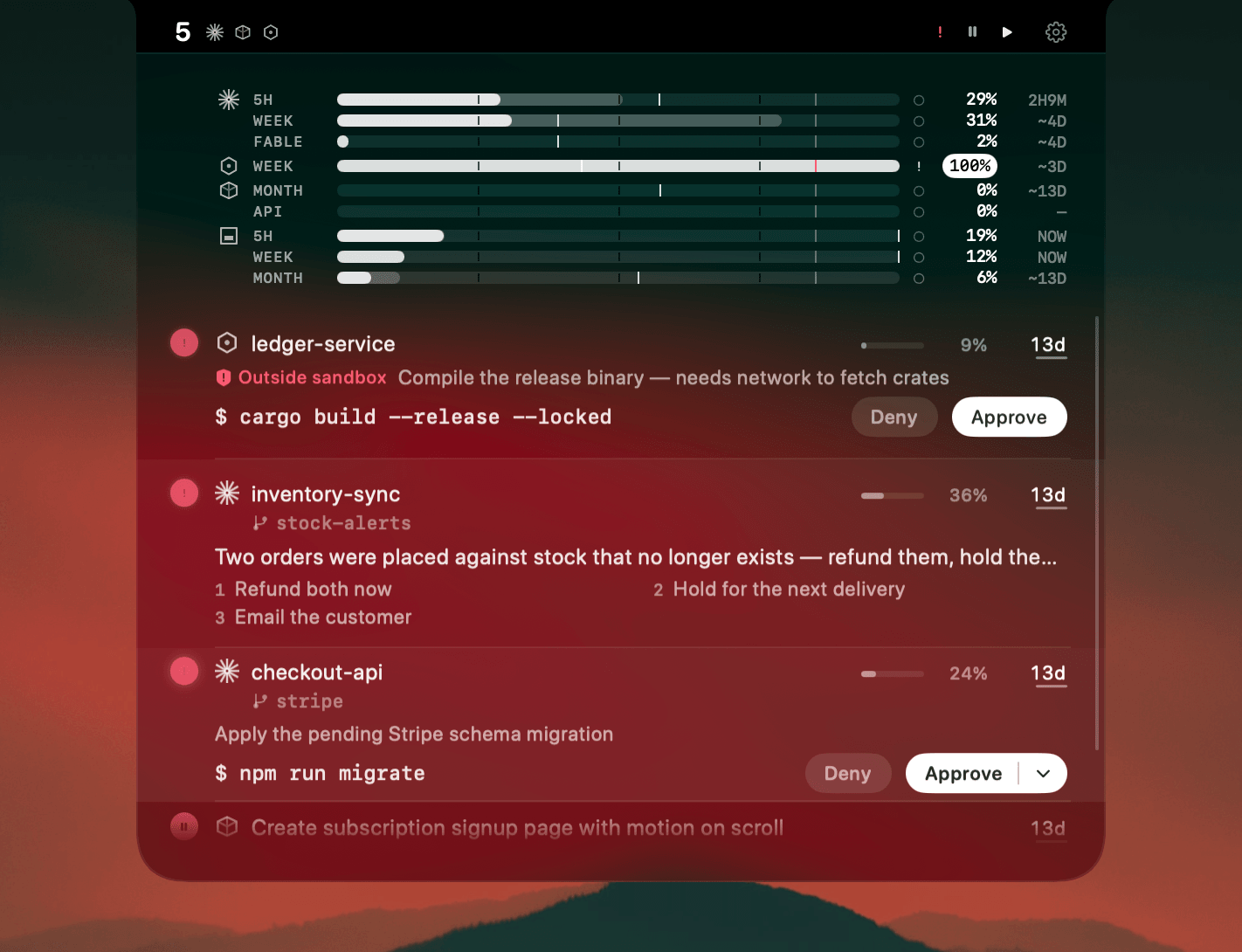
Starting three agents is easy. You give each one a task, and for about four minutes it feels like the best day you've had at work. Then the first one finishes, and nothing tells you.
That's the whole problem, and at the start it isn't a tooling problem. It's an attention one. A finished agent is silent. A stalled agent is silent. An agent halfway through a long tool call is silent. From outside, three different states look identical, so you go and check, and each check costs a window switch plus the reload of where you were. Do it often enough and the parallelism you bought gets spent on supervision.
The rules that stop collisions
One task per agent, one worktree per task
Give each agent its own checkout so two of them can't rewrite the same file:
git worktree add ../myapp-auth -b agent/auth
cd ../myapp-auth && claude
Worktrees share one .git and cost almost nothing. They end an entire category of problem. Copy your .env across, because gitignored files don't come with the worktree and the agent will otherwise spend context diagnosing a broken build you created.
Write the task down before you start it
Agents drift when the brief is thin, and a drifted agent is the expensive kind. It works confidently for ten minutes in the wrong direction and hands you a diff you have to read line by line to reject.
Decide who you check first, before you need to
With no order you check the agent you last touched, which is precisely the one least likely to have stopped.
Watch the limits, not just the work
Four agents spend a shared plan several times faster than one. Running out mid-task is a self-inflicted interruption, and it always lands at the worst moment.
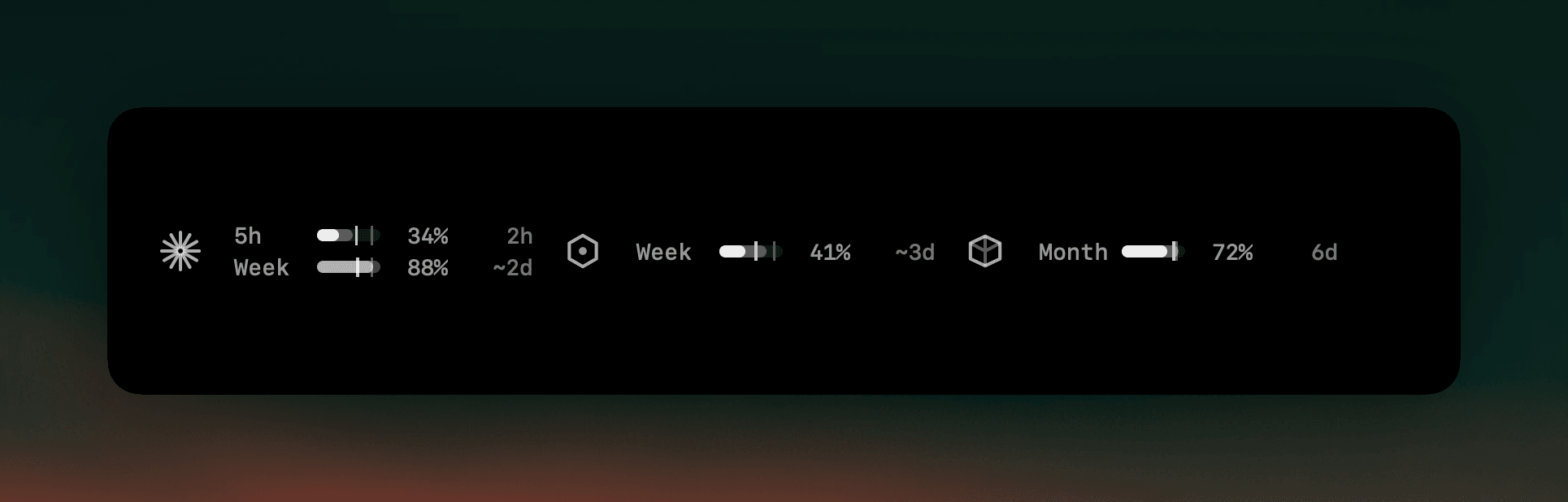
Where the attention actually goes
Those rules kill the collisions and most of the drift. They do nothing about the checking, and the checking is the part that scales badly.
The thing worth automating is the question you keep asking manually: which one stopped, which one is asking something, and which one is holding on an approval it doesn't want to run alone. That's a state you should be able to read without switching to anything.
Where AgentNotch fits
AgentNotch is that layer, in the macOS menu bar. Claude Code, Cursor, Codex, Kimi, OpenCode and Cowork sessions from the Claude app all appear with status, branch, model and context, and the one that needs you is flagged. Permission requests and questions can be answered from the notch without opening the session at all.
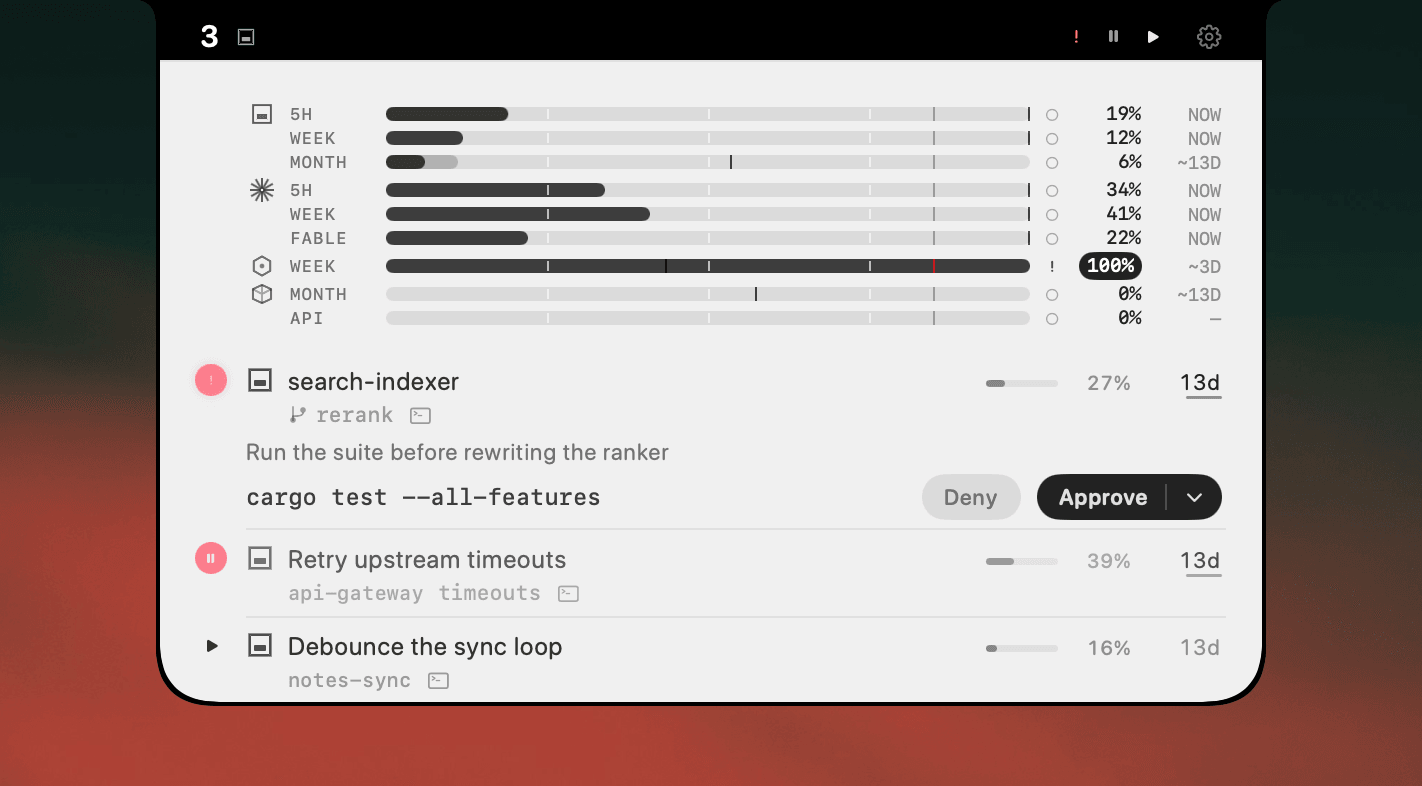
It reads the agents themselves rather than the terminal, so it behaves the same in Ghostty, iTerm2, Warp, or across Conductor's worktrees. Everything except plan usage stays on your Mac.
Side by side
| The problem | What actually fixes it | |
|---|---|---|
| You forget an agent is waiting | A finished agent is silent, and silence looks like work. | One place that says which one stopped. |
| You check the wrong window first | Round-robin scanning costs more attention than the work. | Status you read without switching. |
| Two agents edit the same files | One task per agent, one worktree per task. | A branch shown next to every session. |
| You run out of plan mid-task | Parallel work spends a shared limit several times faster. | Plan limits visible while you work. |
Questions
- How many coding agents can you realistically run at once?
- Most people top out around three or four, and the limit is rarely the machine. It is how many things you can hold in your head. The cost of a fourth agent is not CPU, it is the attention you spend checking whether any of the other three stopped.
- What is the hardest part of managing multiple AI coding agents?
- Knowing which one needs you. A finished agent, a stalled agent and an agent thinking hard all look the same from outside: a quiet window. Everything else about running several agents is easy by comparison.
- How do you stop agents from colliding on the same files?
- One task per agent, and a git worktree per task, so each agent has its own checkout. It costs a minute to set up and removes the entire class of problems where two agents rewrite each other's work.
- Why does running more agents sometimes make you slower?
- Because idle time compounds. Four agents idle half the time produce less than two you keep fed, and every check you make costs a window switch plus the reload of what you were doing. Past a certain point you are working for the agents rather than the other way round.
- Do I need a dashboard to run several agents?
- You need somewhere that answers 'who needs me?' without a window switch. That can be a menu-bar app like AgentNotch or a discipline of checking in a fixed order. The failure mode is having neither and finding an idle agent twenty minutes later.
Keep reading
See which agent needs you.
Try AgentNotch free for 14 days, no card. Watch Claude Code, Cursor, and Codex from your Mac's menu bar.
Updated 2026-07-28