AgentNotch + Kimi CLI
Kimi runs in a terminal tab like any other agent, and goes quiet the same way. AgentNotch shows its sessions in the menu bar and flags the one waiting on you.
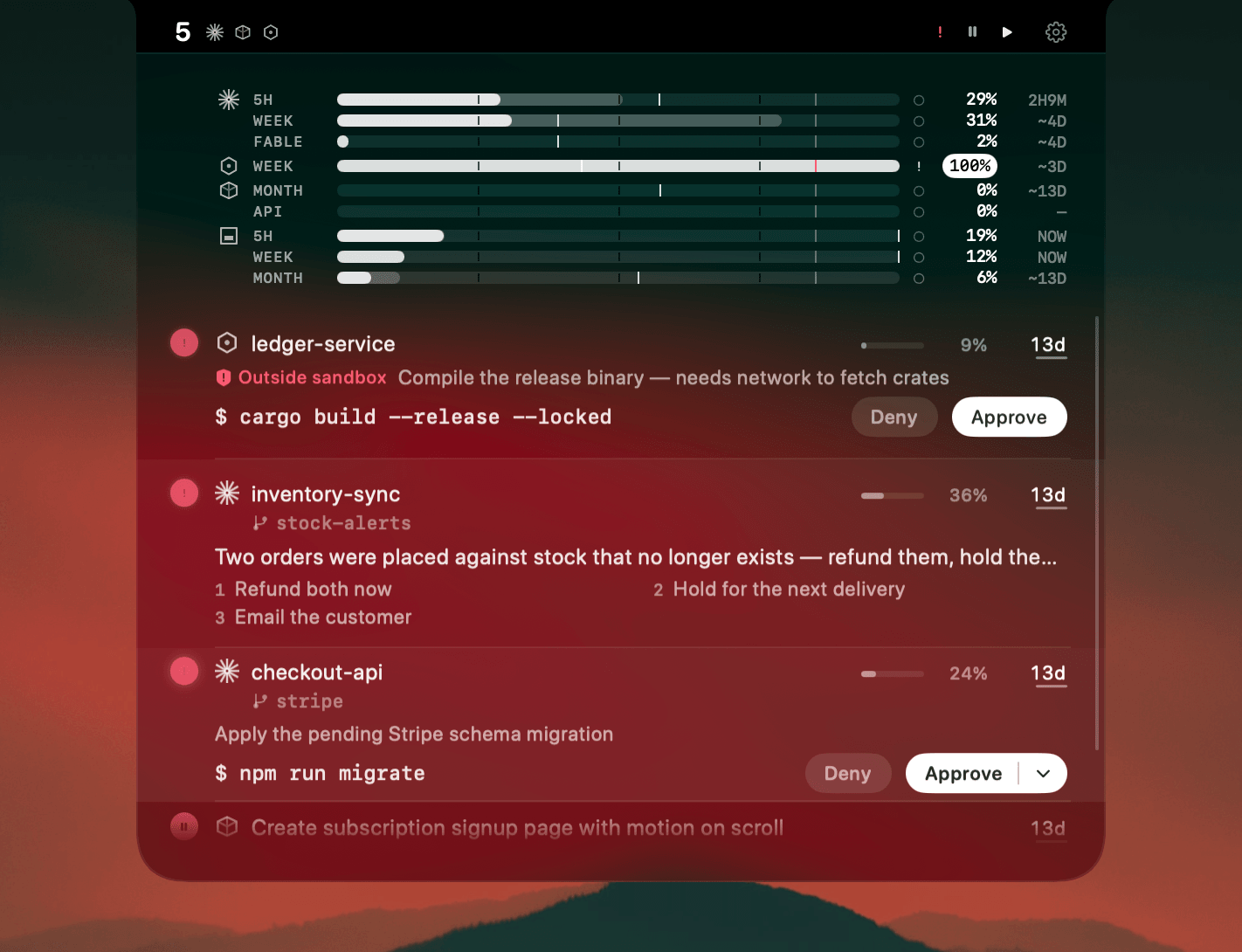
Kimi is another terminal agent, which means it inherits the same blind spot as the rest of them. It works away in a tab you stopped looking at, finishes, or stops to ask, and nothing tells you which.
Running it next to Claude Code or Codex makes that worse rather than better. Three agents, three tabs, three different ways of saying "your turn", and one of them is a plan you can exhaust without noticing.
Where AgentNotch fits
Kimi sessions appear in the menu bar with everything else: status, model, context gauge, and the folder each one is working in. When a session stops on a question, the question and its choices show up on the row, so you can tell a two-second answer from one that needs thinking about. Kimi plan usage joins the same strip as your Claude and Codex windows, and Kimi tokens get their own share of Token History.
Answering happens in the terminal. Kimi's hooks expose no permission event to hold a prompt open, so AgentNotch never pretends it can approve on your behalf. Click the row and you land in the tab.
30-second setup
Download AgentNotch, drag it to Applications, open it. It picks up Kimi sessions from the CLI's own files, no config and no keys. Free for 14 days, no card.
Side by side
| In the Kimi terminal | In AgentNotch | |
|---|---|---|
| Session status | In the tab you have focused. | Every Kimi session at once, from the menu bar. |
| Waiting on you | The prompt sits in the tab until you look. | The session is flagged, with the question and its choices on the row. |
| Context left | You read it off the session in front of you. | A gauge per session, so you catch the one about to fill up. |
| Plan usage | Checked on the Moonshot dashboard. | On the same strip as your Claude and Codex usage. |
Questions
- Does AgentNotch work with Kimi?
- Yes. AgentNotch reads Kimi CLI sessions on macOS and shows each one in the menu bar, including the session that has stopped to ask you something.
- Can I see how much of my Kimi plan is left?
- Yes. Kimi plan usage sits on the same strip as your Claude and Codex windows, so one glance covers every plan you are burning through.
- Do I need to configure anything for Kimi?
- No. AgentNotch finds Kimi sessions from the CLI's own session files, with nothing to wire up and no API key to hand over.
- Does AgentNotch count Kimi tokens in its spend view?
- Yes. Kimi has its own share in Token History, next to Claude and Codex, so a heavy Kimi day is visible rather than buried.
- Can I answer a Kimi prompt from the notch?
- No. Kimi's hooks have no permission event to hold a prompt open, so answering it blind would be unsafe. AgentNotch shows you that a prompt is waiting and what it asks; you answer it in the terminal, one click away.
Keep reading
See which agent needs you.
Try AgentNotch free for 14 days, no card. Watch Claude Code, Cursor, and Codex from your Mac's menu bar.
Updated 2026-09-19