AgentNotch + Google Antigravity
Antigravity runs its agent in the editor and in a terminal. AgentNotch shows every Antigravity session in the menu bar, tells you which one stopped for you, and jumps you to it.
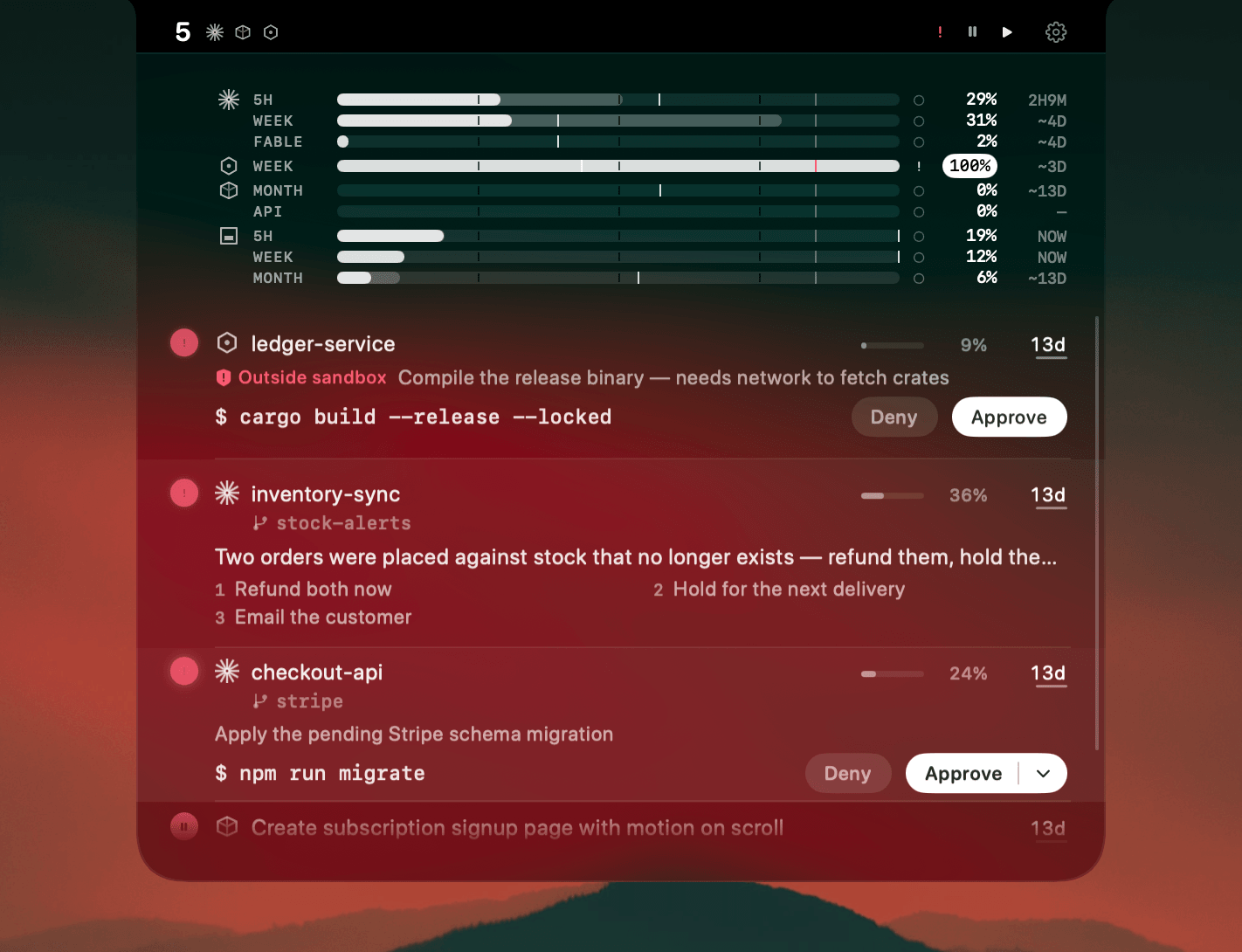
Antigravity puts a real agent behind an editor window, and it runs long. That is the good part. The cost is the same one every agent has: the work happens somewhere you are not looking, and the moment it stops is the moment you find out last.
It gets worse with two surfaces. The desktop agent and the CLI are the same product to you, but they are two places to check, and neither one tells the other what it is doing.
Where AgentNotch fits
Antigravity sessions land in the menu bar next to your other agents: what each one is doing, the folder it works in, and a name taken from the work rather than the directory. Desktop and CLI sessions sit in the same list, because from where you stand they are the same question — is it still going?
When a turn ends, the row lights up. You see which session finished without opening anything.
Detection, and it says so
AgentNotch cannot answer an Antigravity permission prompt for you. Claude Code, Codex and OpenCode expose a way to do that safely. Antigravity does not, so the notch does the honest thing: it shows you that a session wants you, and you go there.
Settings says this in plain words, per agent, so you never learn it from a prompt that went unanswered.
Click the row, land in the session
A row click brings the session to the front. A CLI session goes to its terminal tab. A desktop session brings Antigravity forward.
30-second setup
Download AgentNotch, drag it to Applications, open it. The Antigravity hooks entry is written for you on launch, and Settings shows its state. Free for 3 days, no card.
Side by side
| In Antigravity | In AgentNotch | |
|---|---|---|
| Session status | The window you have in front of you. | Every Antigravity session at once, from the menu bar. |
| A session that stopped | You find out when you look. | The row lights up the moment the turn ends. |
| Desktop and CLI | Two places to check. | One list. Both kinds of session sit in it. |
| Getting back to it | Hunt for the window or the tab. | Click the row. |
| Approving a command | In Antigravity, where the prompt is. | Not from the notch. The row says a session needs you, and you go. |
Questions
- Does AgentNotch work with Google Antigravity?
- Yes. AgentNotch reads Antigravity sessions on macOS and shows each one in the menu bar, both the desktop agent and the CLI.
- Can I approve an Antigravity command from the notch?
- No. Antigravity is detection-only: AgentNotch tells you a session is working, and tells you when it stops. You answer in Antigravity itself.
- Do I need to configure anything?
- No. AgentNotch adds one hooks entry to Antigravity's own config on launch, and Settings shows whether it is in place, with a Repair button if it ever goes missing. Nothing else in your config is touched.
- Does the notch show my Antigravity plan usage?
- No. There is no usage meter for Antigravity yet. Your Claude, Codex, Cursor, Kimi and OpenCode Go plans do have meters.
- Does AgentNotch count Antigravity tokens in Token History?
- Not yet. Token History covers Claude, Codex, Cursor and Kimi. Antigravity sessions still appear in the live list.
Keep reading
See which agent needs you.
Try AgentNotch free for 3 days, no card. Watch Claude Code, Cursor, and Codex from your Mac's menu bar.
Updated 2026-09-19