
AgentNotch + Pi
Pi runs in a terminal tab and works for minutes at a time. AgentNotch shows every Pi session in the notch of your Mac, flags the one that stopped for you, and takes you back to its tab.
Pi is a terminal agent, so it has the terminal agent's blind spot. It thinks in a tab you stopped watching. It finishes in a tab you stopped watching. The tab does not shout.
Run two or three of them across different folders and the cost is not the work. It is you, checking tabs on a timer.
Where AgentNotch fits
Pi sessions appear in the notch with everything else: status, the folder each one is working in, and a name taken from what the session is about. When a session stops, its row changes state, so the answer to "is it still going?" costs a glance instead of a tab switch.
When Pi asks you something, the question lands on the row. You read what is being asked before you decide to get up.
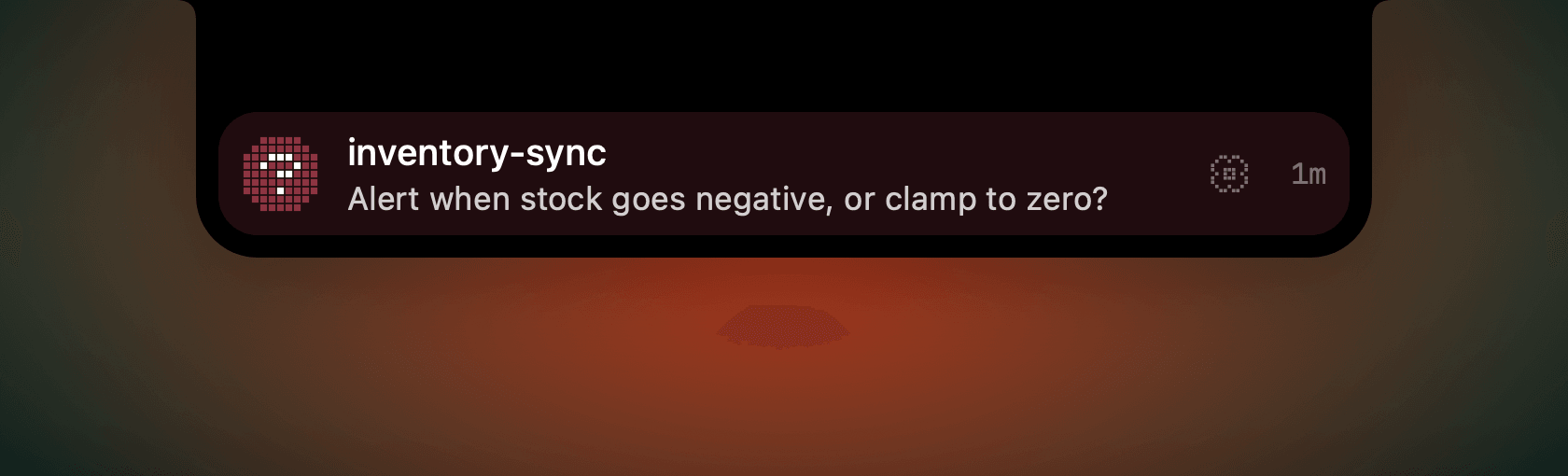
Detection, and it says so
AgentNotch does not answer for Pi. Claude Code, Codex and OpenCode expose a safe way to do that. Pi does not, so the notch shows you the session that wants you and stops there. Settings says so per agent, in plain words.
Click the row, land in the tab
Pi rows jump by terminal tab. Click one and the tab holding that session comes to the front: the right tab, not the right window, even with several Pi sessions in the same terminal.
30-second setup
Download AgentNotch, drag it to Applications, open it. Pi sessions are picked up with no keys and no config of your own. Free for 14 days, no card.
Side by side
| Topic | In the Pi terminal | In AgentNotch |
|---|---|---|
| Session status | The tab you have focused. | Every Pi session at once, in the notch. |
| A session waiting on you | The prompt sits in the tab until you find it. | The row turns coral, and it says what is being asked. |
| Several folders at once | One tab per folder, and you keep the map in your head. | One list, with the folder on every row. |
| Getting back to it | Find the tab. | Click the row. The tab comes forward. |
| Answering | In the tab, where Pi asked. | Not from the notch. You go to the tab and answer there. |
AgentNotch for Mac
Every agent. One notch.
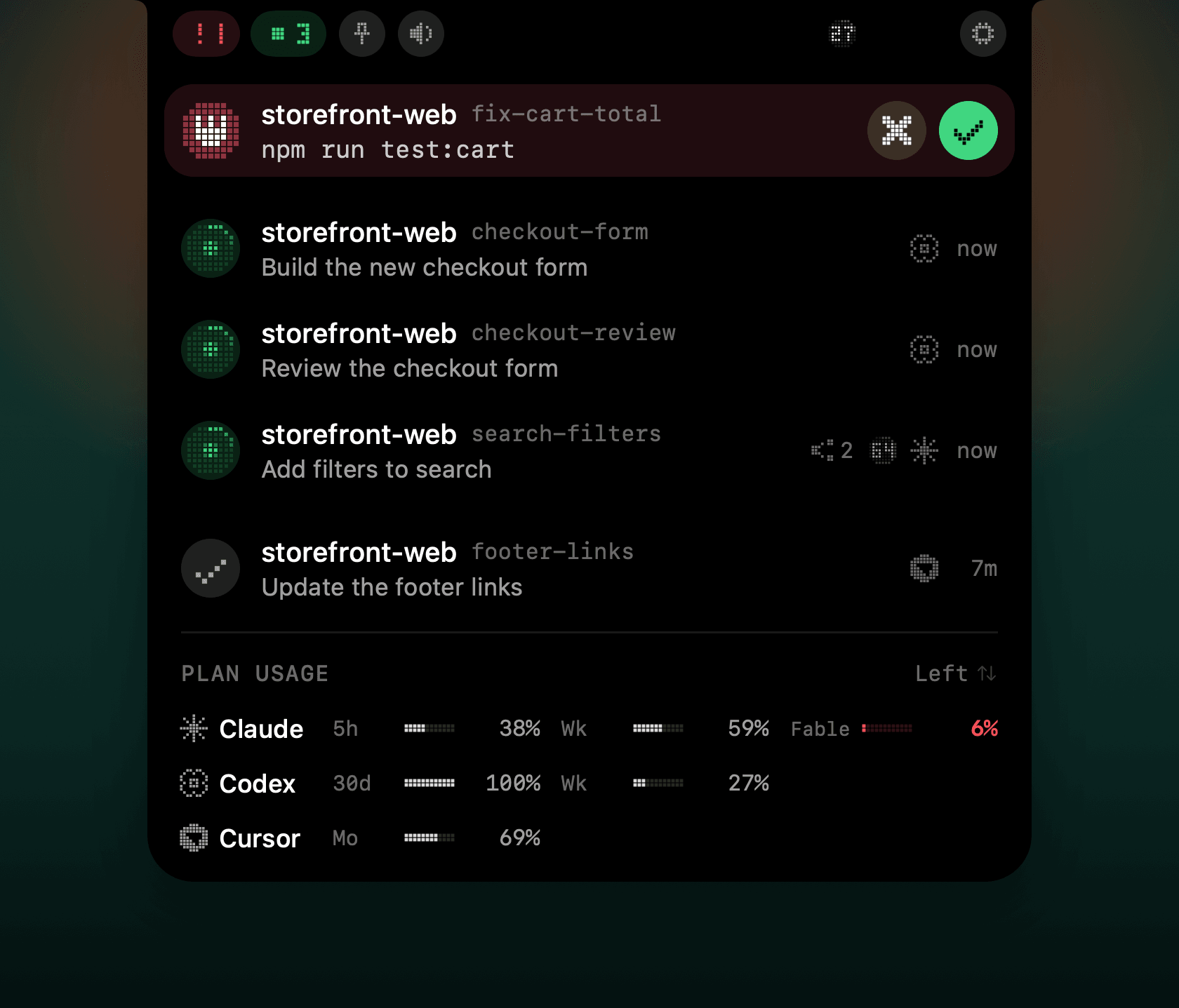
- Green works, coral needs you, a check is done. The closed notch counts the agents that work and the agents that need you.
- Click a row to jump to its terminal tab.
- A small number on the row shows how full the context window is, from 60%.
14-day free trial. No card. Then $9.99 once. macOS only.
Questions
- Does AgentNotch work with Pi?
- Yes. AgentNotch reads Pi sessions on macOS and shows each one in the notch: what it is doing, the folder it works in, and when it stops.
- Can I answer Pi from the notch?
- No. Pi is detection-only. The row tells you a session is waiting, and shows the question when Pi asks one, but you answer in the terminal.
- Will it find Pi in every terminal?
- Yes. AgentNotch is terminal-agnostic. Ghostty, iTerm2, Warp, the terminal in VS Code: a Pi session is a Pi session, and clicking the row brings its tab forward.
- Do I need to configure anything for Pi?
- No. AgentNotch installs its Pi extension on launch, and Settings shows whether it is in place. Your own Pi config is left alone.
- Does the notch show Pi plan usage or tokens?
- No meter and no Token History for Pi yet. Sessions, status and click-to-jump all work today.
See which agent needs you.
AgentNotch watches Claude Code, Codex, Cursor and more from the notch of your Mac. Pay once, keep the app.
14-day free trial. No card. Then $9.99 once. macOS only.
Updated 2026-11-13