Monitor multiple Claude Code sessions
How to run and track several Claude Code sessions at once on macOS, using tmux to organize them and a menu-bar view to catch the one that needs you.
By Piotr Jura, creator of AgentNotch. Tested on macOS with AgentNotch v2.2.4.
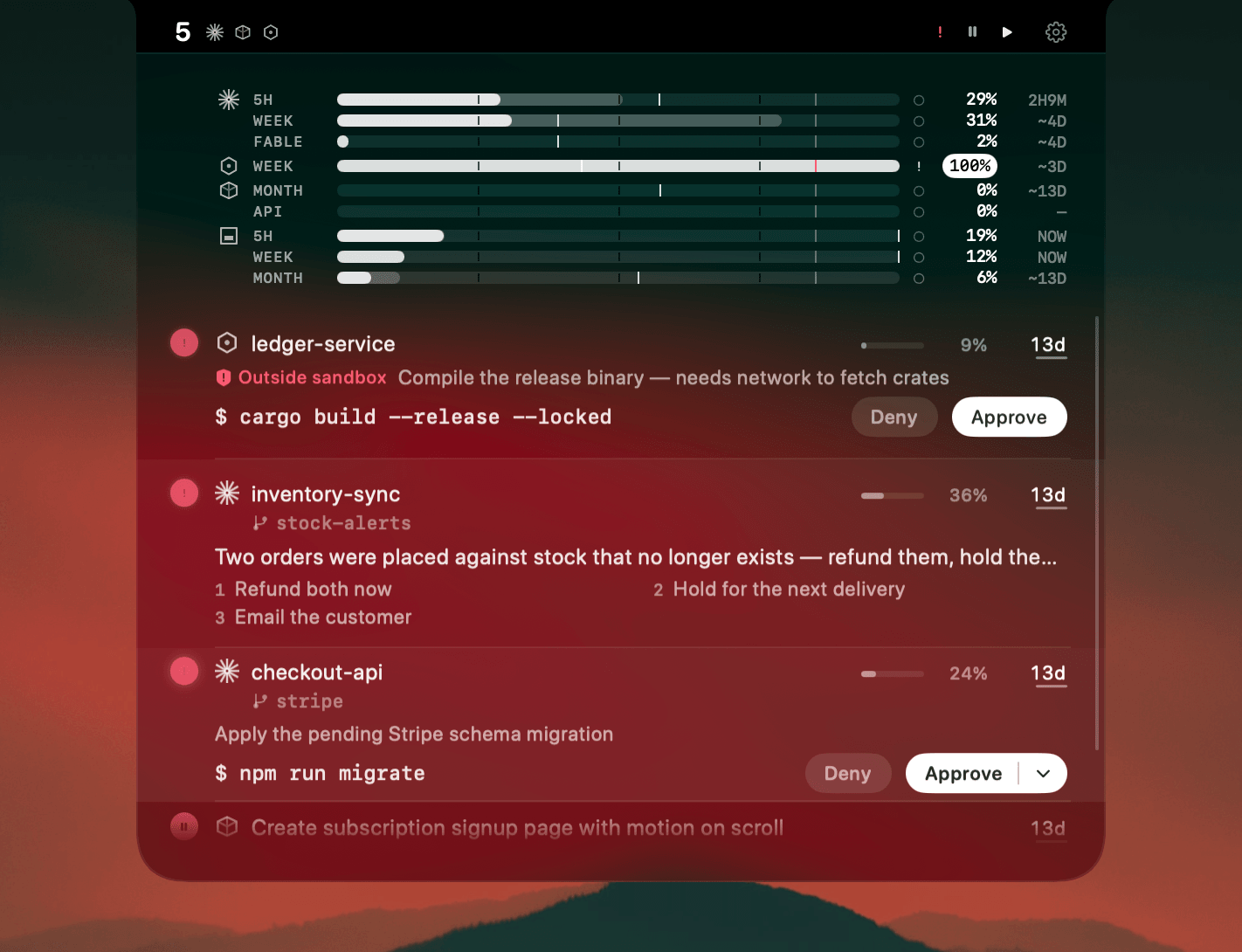
One Claude Code session is easy to follow. Four falls apart. One finishes, one stalls, one stops to ask a yes or no, one keeps working, and from the outside they look identical.
Two problems hide in there: keeping the sessions organized, and knowing which needs you now. tmux nails the first. It splits one terminal into panes and keeps them alive across drops. The second it does nothing for. A pane waiting on approval looks exactly like one still working, so you find out by scanning.
Where AgentNotch fits
AgentNotch handles the attention half. It reads your Claude Code sessions wherever they run and lifts them to the menu bar, where each one reads as running, finished, or waiting for input. Instead of scanning, you glance. It marks the one that needs you and shows context, plan usage, and live subagents per session, so you catch the one about to run low. It stays on your Mac, never your code.
Side by side
| The job | What handles it | |
|---|---|---|
| Organize the sessions | Keep every session in a predictable place, alive across disconnects. | tmux panes, separate tabs, or a checkout per project. |
| Know which needs you | Tell at a glance which session is running, which finished, and which is waiting for input. | AgentNotch, from the menu bar. |
Questions
- How do I monitor multiple Claude Code sessions?
- Organize the sessions first so they are easy to reach, using tmux panes or separate terminal tabs, then use something that tells you which one needs attention. tmux keeps the sessions tidy but draws them all the same way; a menu-bar monitor like AgentNotch flags the single session that finished, stalled, or is waiting on approval.
- Can I run several Claude Code sessions at the same time?
- Yes. Each Claude Code session runs independently, so you can open one per terminal tab, tmux pane, or project checkout, and the limit is your attention, since nothing tells you which running session needs you next.
- How many Claude Code sessions can I realistically watch?
- Most people stay on top of two or three by glancing between panes, and start missing things past that. Beyond a handful, scanning every window by eye stops working and you need a view that surfaces the one session that needs a decision.
- Does tmux tell me when a Claude Code session needs me?
- No. tmux organizes and keeps sessions alive, but it renders an idle pane and a finished pane identically, so you spot the difference by scanning, the part a menu-bar monitor takes over.
Keep reading
See which agent needs you.
Try AgentNotch free for 14 days, no card. Watch Claude Code, Cursor, and Codex from your Mac's menu bar.
Updated 2026-07-17