Will you run out before the limit resets?
A percent tells you where you have been. Whether the limit lasts depends on how fast you are spending it. Here is how to read pace on macOS.
By Piotr Jura, creator of AgentNotch. Tested on macOS with AgentNotch v2.2.4.
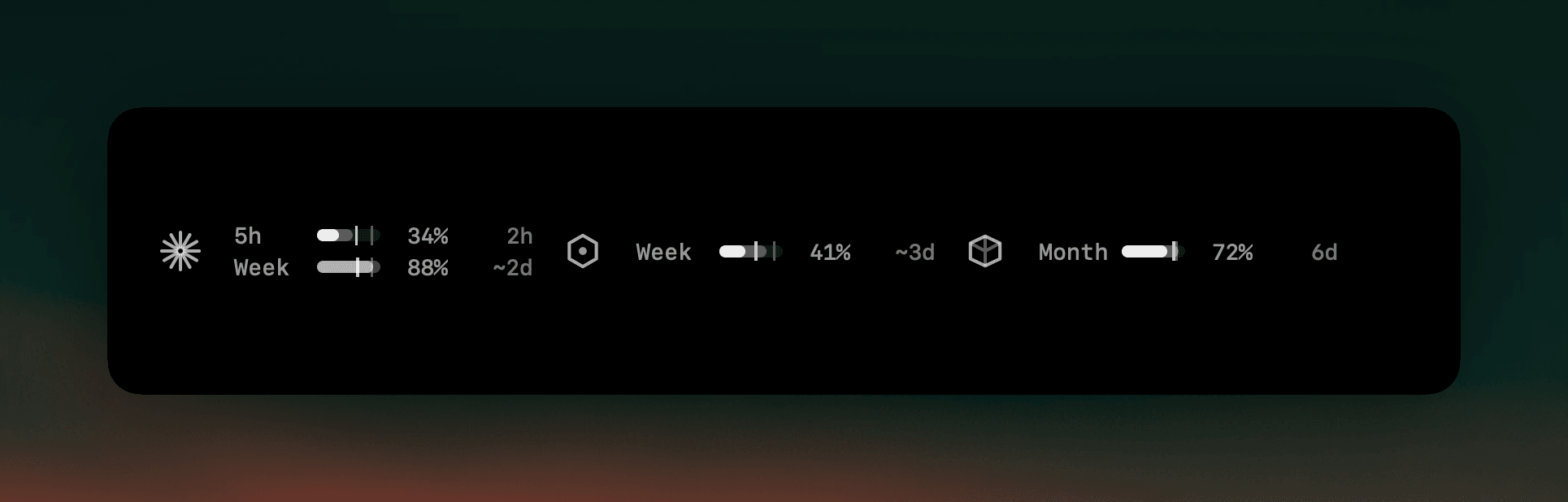
A percent on its own is half a number. Sixty percent spent is fine on the last hour of a window and a problem in the first, and the difference is the whole question you are actually asking: is there enough left to finish this?
Answering it by hand means holding two numbers in your head — what you have used, and how much of the window has gone — then dividing. People do that once, get a fright, and then don't do it again for the rest of the week. Running several agents at once makes it worse: parallel work spends a shared limit several times faster than the day it was budgeted for.
Where AgentNotch fits
AgentNotch draws the comparison instead of asking you to do it. Each limit shows what you have spent as a fill, how far through the window you are as a mark on the same track, and where your current rate lands by the time it resets. When that lands past the limit, the countdown column stops telling you when the window resets and tells you how long you have instead.
It stays quiet about it. The reading sits in the same understated grey as everything else and only goes red when the window is genuinely nearly gone — a projection is worth knowing, not worth an alarm.
Side by side
| What you see | What it tells you | |
|---|---|---|
| Percent spent | Where you have been. | Half the answer. |
| How much of the window has passed | What you were entitled to spend by now. | The other half. |
| The two compared | Spending slower than the clock, or faster. | Whether the limit lasts. |
Questions
- How do I know if I will hit my Claude limit before it resets?
- Compare two things: how much of the limit you have spent, and how much of the window has passed. If you are 60% spent a third of the way in, you are on course to run out early. AgentNotch does that comparison continuously and shows the result on the limit's own row.
- What does 'empty in 56m' mean?
- It is how long the limit lasts at the rate you have been spending it — not a countdown to the reset. When the projection lands past the limit, AgentNotch swaps the reset countdown for this number, because it is the one that changes what you do next.
- Is a projection reliable?
- It is an estimate from your own recent rate, and it moves as your rate moves. It is deliberately quiet: AgentNotch shows the reading plainly and only turns it red once the window is genuinely low, because a prediction is information, not an alarm.
- What can I do when I am burning a window too fast?
- Usually one of three things: move the exhausting work to a cheaper model, park the optional task until the window resets, or finish the important thing first. All three need the same input — knowing before the limit lands, not after.
Keep reading
See which agent needs you.
Try AgentNotch free for 14 days, no card. Watch Claude Code, Cursor, and Codex from your Mac's menu bar.
Updated 2026-07-26