Track plan limits for Codex, Cursor and Kimi
Every coding agent meters you differently and shows it somewhere else. Here is how to read all of them in one place on macOS.
By Piotr Jura, creator of AgentNotch. Tested on macOS with AgentNotch v2.2.4.
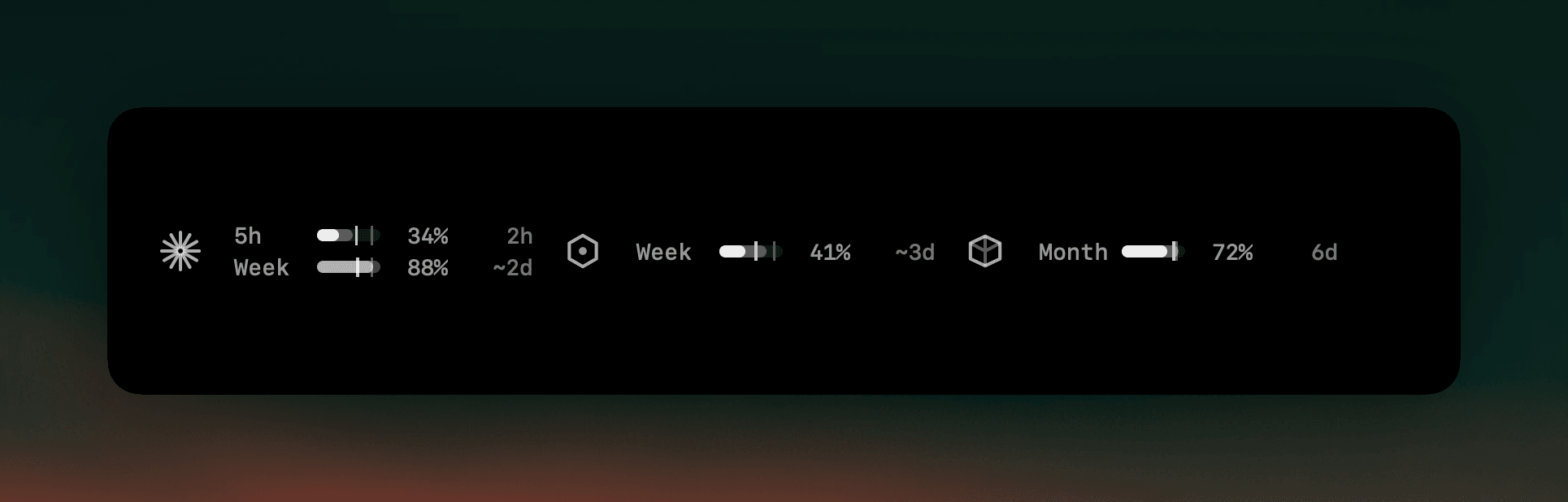
Every agent meters you, none of them the same way, and each one puts the number somewhere else. Claude has a rolling session window and a weekly one. Codex has its own. Cursor bills by month. Kimi keeps its own quota. OpenCode Go publishes nothing at all, so there is no page to check even if you wanted to. Checking them means five places, so in practice nobody checks any of them until something stops working.
That matters more than it used to, because the choice of which agent gets the next task is now partly a budget question. A plan with room and a plan that is nearly out should not look the same to you at the moment you decide.
Where AgentNotch fits
AgentNotch puts every provider's limits in one strip in the menu bar, each with the same anatomy: what you have spent, how far through the window you are, and when it resets — or, when your current rate says the window empties first, how long you have left. Reading four plans costs the same glance as reading one, and the logins it uses are the ones already on your Mac.
Side by side
| Agent | What it meters | |
|---|---|---|
| Claude Code | A rolling 5-hour session window plus a weekly one. | Both, with the pace on each. |
| Codex | Its own plan window, shown inside the app. | Same row treatment as the rest. |
| Cursor / Kimi | A monthly billing cycle; Kimi its own quota. | In the same strip, one glance. |
| OpenCode Go | Nothing. There is no usage endpoint to read. | Worked out locally from your own turns, and it says so. |
Questions
- Can I see Codex usage limits on macOS?
- Yes. AgentNotch reads your Codex plan limits with the login already on your Mac and shows them in the menu bar alongside your other agents, so you are not opening each app to check.
- How do I track Cursor usage without opening Cursor?
- AgentNotch shows Cursor's billing-cycle usage in the same strip as every other provider, with the percent spent and how much of the cycle is left.
- Why does it matter to see them together?
- Because you switch between them. Knowing that one plan has room while another is nearly out is what makes the choice of where to send the next task an informed one instead of a guess.
- Does it need extra API keys?
- No. Plan usage uses the logins already on your Mac, and it is the only part of AgentNotch that touches the network. Nothing else leaves the machine.
Keep reading
See which agent needs you.
Try AgentNotch free for 14 days, no card. Watch Claude Code, Cursor, and Codex from your Mac's menu bar.
Updated 2026-07-26