AgentNotch + Claude Cowork
Cowork runs in the Claude app, out of sight behind whatever you're doing. AgentNotch puts its sessions in the menu bar and flags the one waiting on your answer.
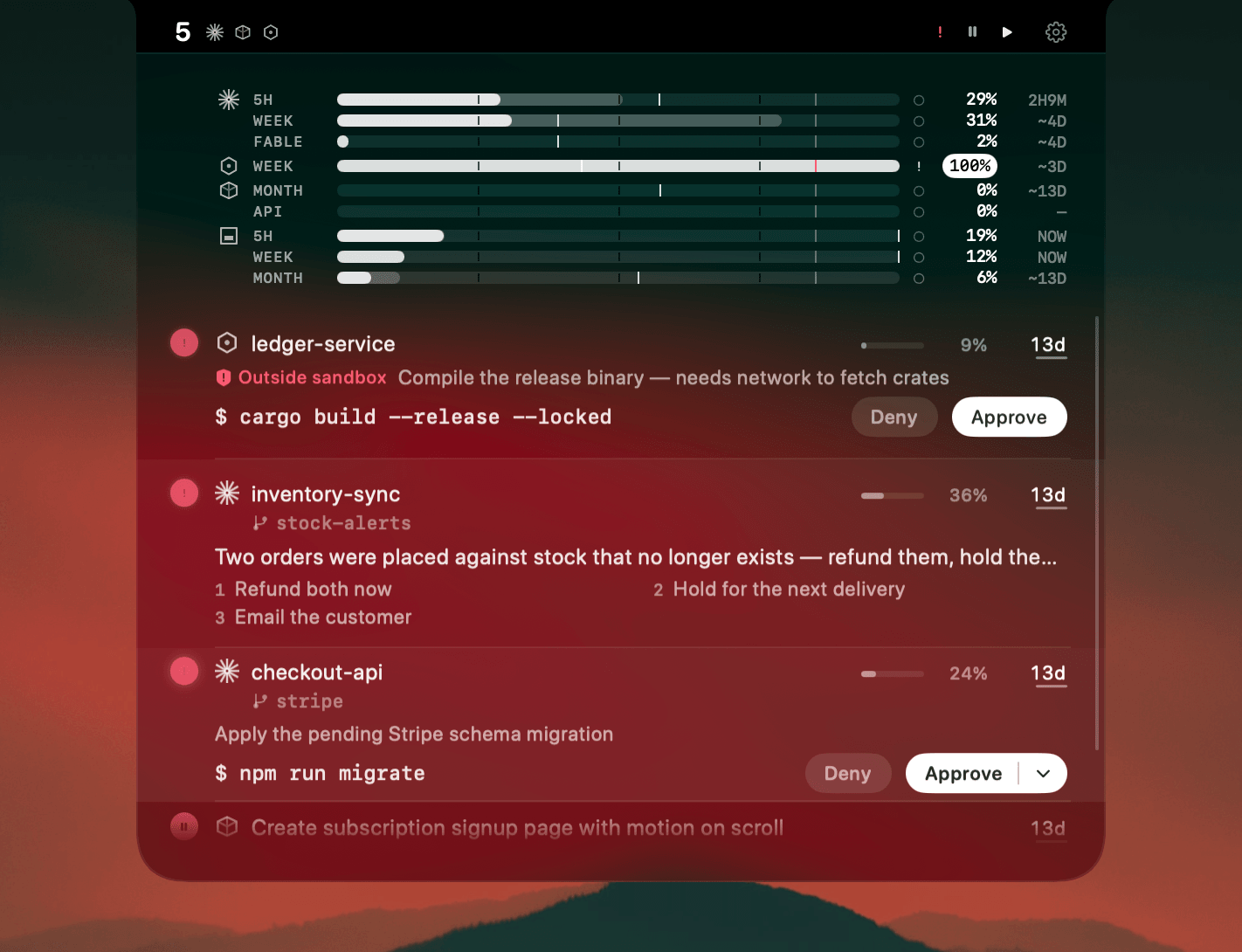
Cowork is the part of the Claude app that does the work that isn't code: sorting a folder of invoices, drafting a letter, pulling a spreadsheet into shape. It runs on its own for minutes at a time, which is exactly why you stop watching it, and then it stops for a question only you can answer. Behind a browser and two terminals, that question can sit for half an hour before you notice.
Where AgentNotch fits
Cowork sessions land in the same menu-bar list as your coding ones. Each row carries the session's own name, the folder it's working in, and a status dot: green working, amber your turn, red needs you. When one stops to ask something, the question and its options come with it, so you can decide whether it's worth switching for. Click the row and Claude opens on that conversation.
30-second setup
Download AgentNotch, drag it to Applications, open it. Your Cowork sessions appear on their own, no config and no keys, whether they run on your Mac or in Claude's sandbox. Free for 14 days, no card.
Side by side
| In the Claude app | In AgentNotch | |
|---|---|---|
| Session status | Visible in the window you have open. | Every Cowork session at once, from the menu bar, while you work elsewhere. |
| Waiting on you | You find out when you switch back to Claude. | Flagged the moment it stops to ask, with the question and its options on the row. |
| What it's working on | The conversation, once you open it. | The session's name and the folder it's working in, on one line. |
| Alongside your code | A separate app from your terminal. | In the same list as your Claude Code, Cursor and Codex sessions. |
Questions
- Does AgentNotch work with Claude Cowork?
- Yes. AgentNotch shows your Cowork sessions from the Claude app in the menu bar, beside your coding sessions, with the same status colours: waiting on you, working, or done.
- Do I need to set anything up for Cowork?
- No. AgentNotch finds Cowork sessions on its own, with nothing to wire up and no keys to enter. You can switch them off in Settings if you only want coding sessions.
- Does it work for Cowork sessions that run in Claude's sandbox?
- Yes. Cowork can run on your Mac or inside Claude's own sandbox, and AgentNotch shows both the same way.
- Can I jump straight to a Cowork session?
- Yes. Click the session in the notch and Claude opens on that conversation.
- Does AgentNotch read what my Cowork session is doing with my files?
- It reads session state only: the session's name, its status, and the folder it was pointed at. It never reads your documents, and everything stays on your Mac.
Keep reading
See which agent needs you.
Try AgentNotch free for 14 days, no card. Watch Claude Code, Cursor, and Codex from your Mac's menu bar.
Updated 2026-09-19