Releases2 min read
Agent Notch 2.1: group sessions by project
Group related sessions, choose what the closed notch shows, and manage each agent's integration.
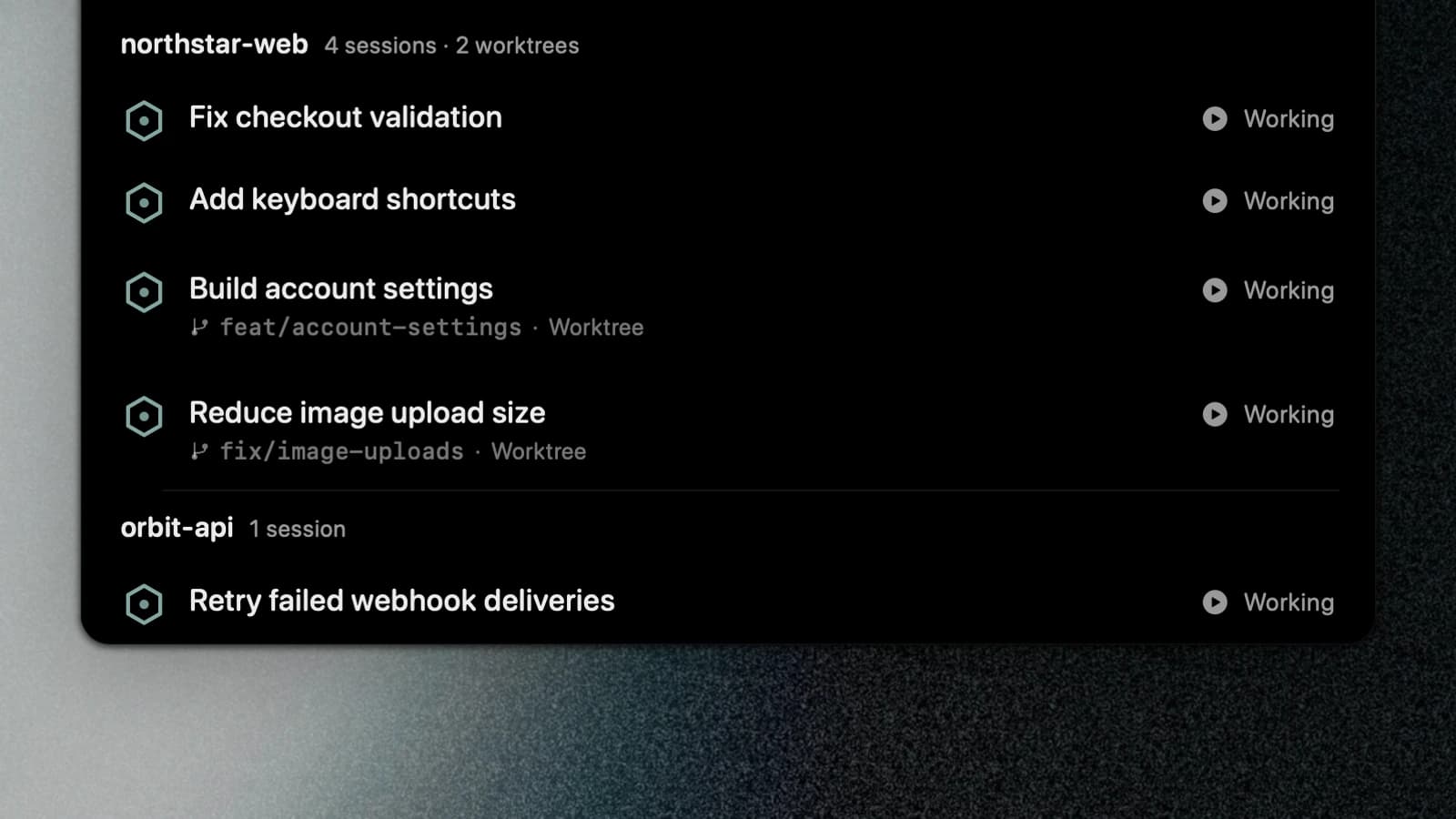
Running three agents in one repository can leave you with three rows named after the same folder. Agent Notch 2.1 adds project groups and puts conversation titles first on new installations.
Keep related sessions together
Turn on Group by project in Settings → Panel to group a repository's sessions under one heading. Branches and worktrees remain visible inside the group.
First line chooses whether each row leads with its conversation title or project name. The screenshots use example sessions from the app.
Choose when the notch stays visible
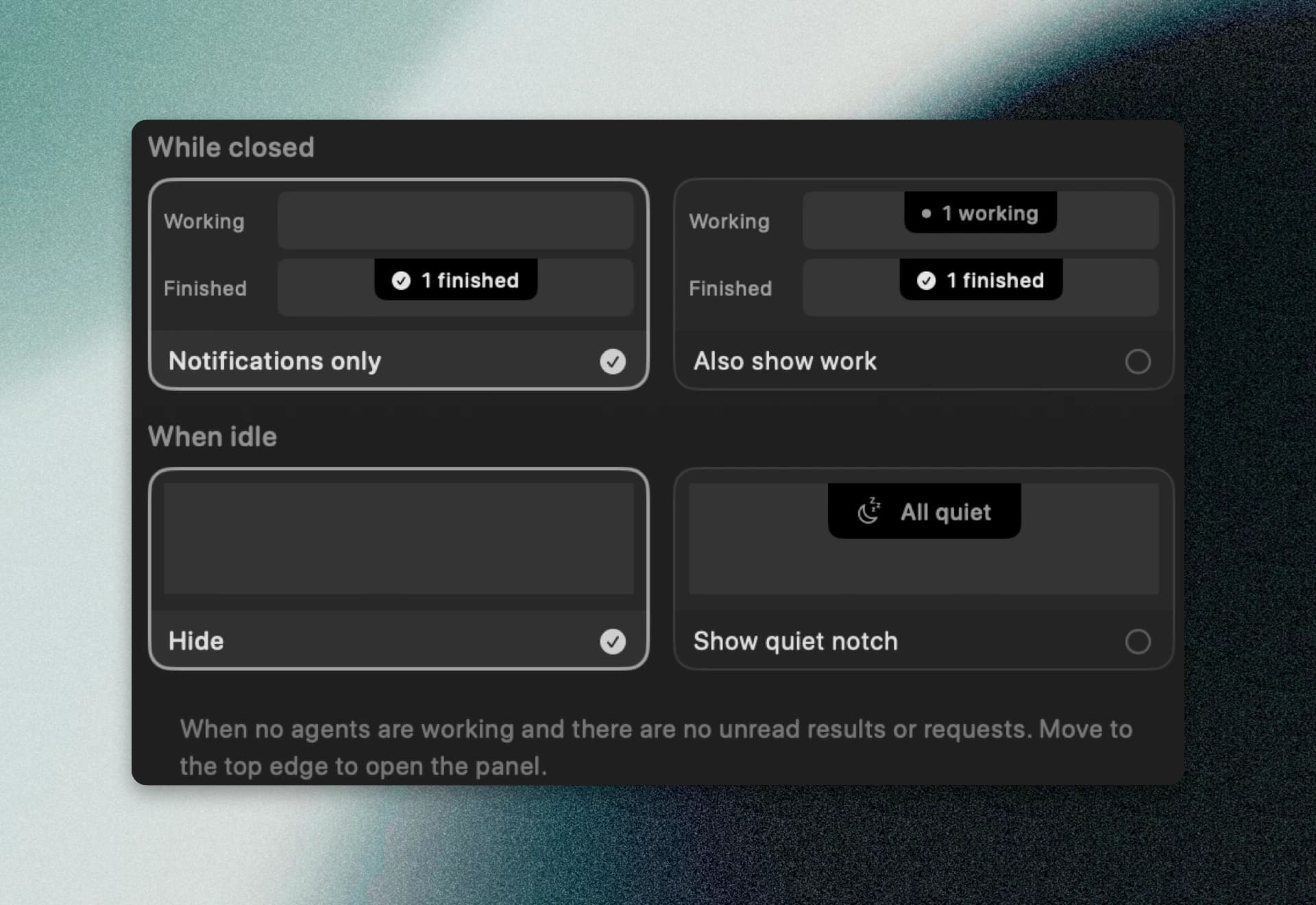
Notifications only hides ongoing work from the closed notch while keeping requests and unread completions visible. Also show work keeps the working count there too.
When everything is quiet, you can hide the notch or leave a small moon at the top edge. The open, empty panel has a larger moon that rocks beside drifting sleep marks.

Keep finished work visible
An unread result stays visible when its session becomes idle. Clicking that session clears its unread mark, and a later result can appear as new again.
Usage meters keep their positions as the panel opens. Reopening the app no longer makes old usage readings look current.
Manage each agent separately
In Settings → Agents, each provider has controls for reading session data and connecting its integration. Claude Code, Codex, and OpenCode also have controls for approval replies from the notch.
Existing installations keep their saved choices during the update. New installations start with conversation titles first and notifications only in the closed notch.
The release notes include fixes for OpenCode Desktop session detection and opening Codex conversations in VS Code.