Releases2 min read
Agent Notch 2.4.0: a pixel notch
LED panels for your plan limits, a countdown when a limit runs out, pixel agent marks, 8-bit sounds, and new buttons for the closed notch and the sounds.
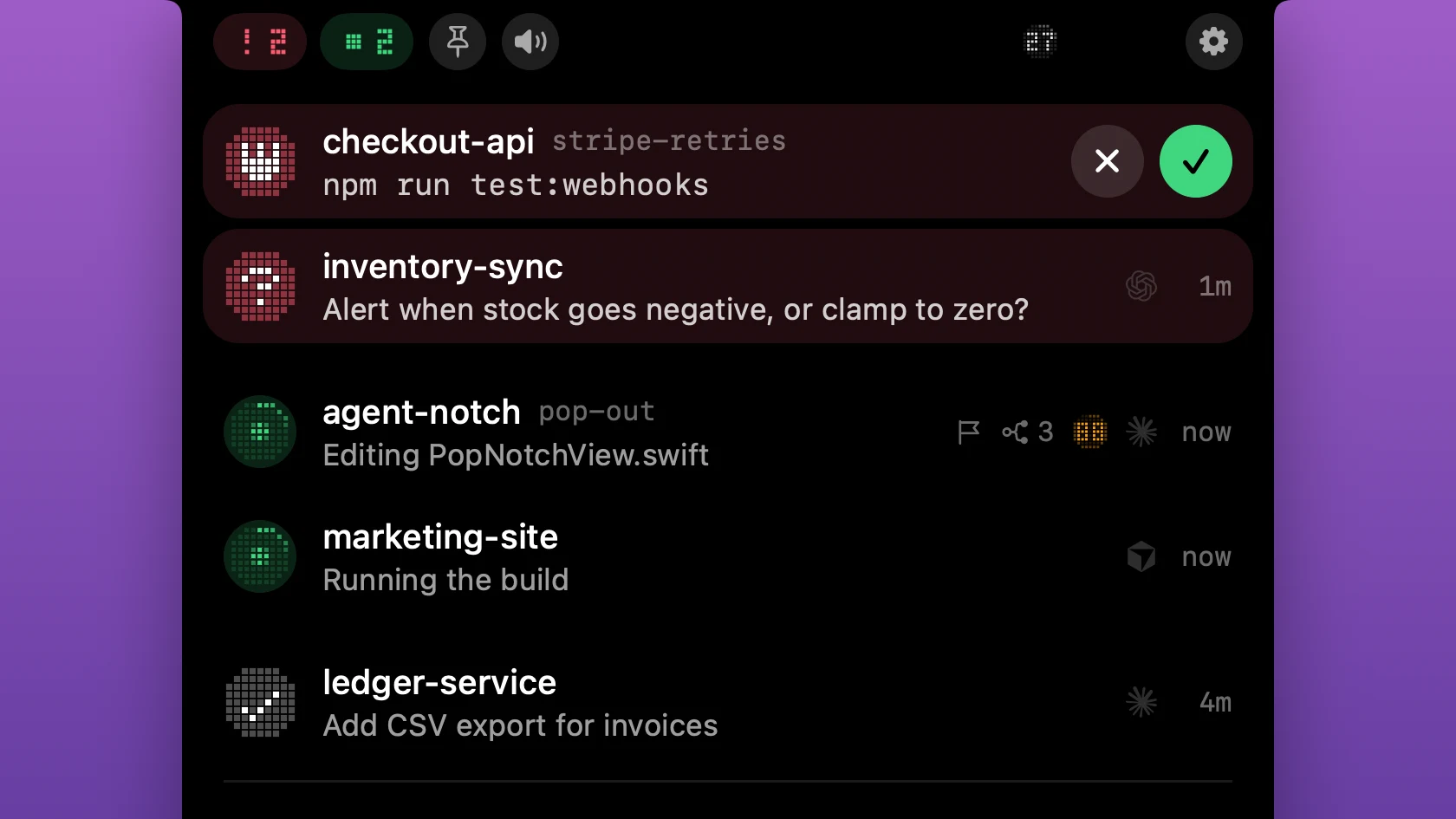
Agent Notch 2.4.0 gives the notch a pixel look. Each mark is a small round panel of dots, like the LEDs on old hardware.
The plan limits beside the notch are LED panels. Each panel shows the percent in a pixel font. A rim of dots goes round the panel as the limit fills.
When a limit runs out, its panel counts down. The time until the limit comes back scrolls through the panel, for example "2H 14M" or "3D 5H". Plan Usage shows the same time in place of the bar. Now you know when you can work again.
The agent marks are pixel icons. A working agent has a dot that runs round its panel. A request shows a disc of coral dots with the icon in white. When a notification comes down, its icon lights row by row and flashes. A question or an approval then blinks slowly until you answer it. The counts on the closed notch use pixel digits, and ages and percents use a monospaced font.
Two new buttons are in the top of the panel. The pin sets the closed notch: always show it, show it only with activity, or show only notifications. With "always", your plan limits stay beside the notch when no agent works. The speaker button turns the sounds on and off.
The notification sounds are new too. Each one is a short 8-bit sound: a pickup when an agent finishes, a rising blip for a question, three beeps for an approval.
Update from Agent Notch's menu, or download Agent Notch. See the changelog for the full list.