Monitor Claude Cowork sessions on macOS
Cowork works on its own for minutes at a time, then stops for a question you never see. Here is how to catch those pauses without keeping the Claude app in front of you.
By Piotr Jura, creator of AgentNotch. Tested on macOS with AgentNotch v2.2.4.
Cowork is the part of the Claude app that handles the work that is not code. Point it at a folder of invoices and it sorts them. Ask for a letter and it drafts one. It runs for minutes at a stretch, which is exactly why you stop watching, and then it stops for a question only you can answer.
The question waits inside the Claude app. If that window is behind a browser and two terminals, the session is finished working and simply idle, and you find out when you next switch over. Half an hour on a one-word answer is a normal way to lose half an hour.
Some of what it asks is not a question at all. Cowork confirms before it deletes files, or before it saves something as a reusable skill. Those pause the session in the same silent way.
Where AgentNotch fits
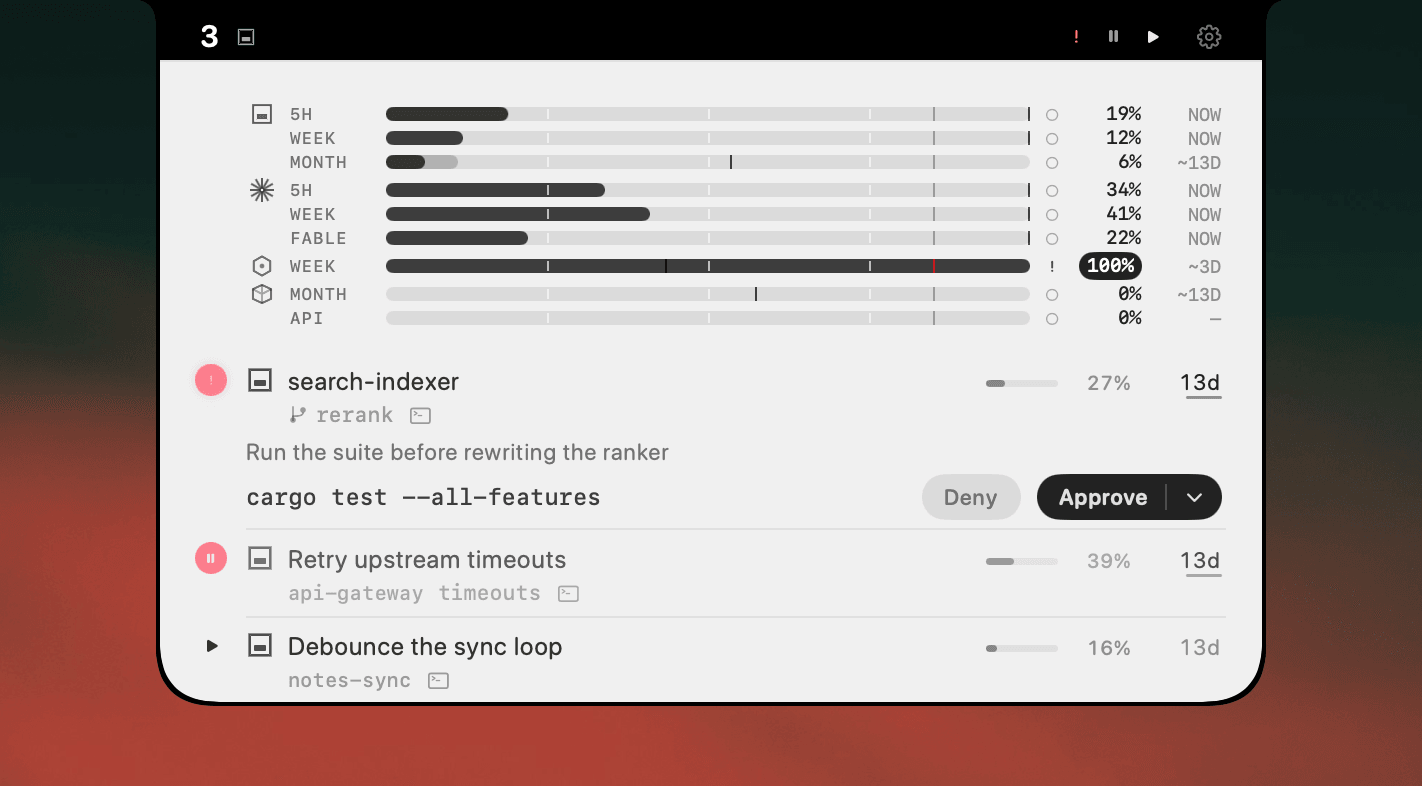
A paused Cowork session turns red in the menu bar the moment it stops, and the row carries what it asked. A question arrives with its choices, numbered, so you can answer by digit once you are there. A confirmation says what it wants to do, so a request to delete files reads as a request to delete files rather than a vague alert.
The rest of the time the row tells you it is working, and which folder it is working in. Click it and Claude opens on that conversation.
Sessions that run in Claude's sandbox behave no differently here than the ones running on your Mac.
30-second setup
Download AgentNotch, drag it to Applications, open it. Cowork sessions appear on their own, no config and no keys, next to whatever coding agents you already run. Free for 14 days, no card.
Side by side
| What it does | Its limit | |
|---|---|---|
| Keeping Claude in view | You see the moment it stops, because you are looking at it. | A window you must not cover is a window you cannot work behind. |
| Checking back every so often | Costs nothing while the session runs. | Whatever interval you pick is the delay on every question it asks. |
| AgentNotch | Flags the paused session in the menu bar and shows what it asked. | Points at the exact session; macOS only. |
Questions
- How do I know when a Claude Cowork session needs me?
- Cowork shows its question inside the Claude app, so nothing reaches you if that window is behind your work. AgentNotch flags the paused session in the menu bar and puts the question and its choices on the row, so you catch it without watching the app.
- Why does a Cowork session stop?
- Cowork asks before it does anything it cannot take back, so it stops for questions about how you want the work done and for confirmations such as deleting files. The pause is the point; the cost is that it can sit unanswered while you are somewhere else.
- Can I see Cowork sessions and coding sessions together?
- Yes. AgentNotch lists them together. A Cowork row is named by what it is doing and marked with the folder it works in, so it never reads as a repository.
- Does it work when Cowork runs in Claude's sandbox?
- Yes. Cowork can run on your Mac or inside Claude's own sandbox, and both appear the same way.
- Can I answer a Cowork question from the notch?
- No. There is no channel to answer a Claude app prompt from outside it, so AgentNotch shows what is being asked and gets you there in one click rather than pretending to answer for you.
Keep reading
See which agent needs you.
Try AgentNotch free for 14 days, no card. Watch Claude Code, Cursor, and Codex from your Mac's menu bar.
Updated 2026-09-19